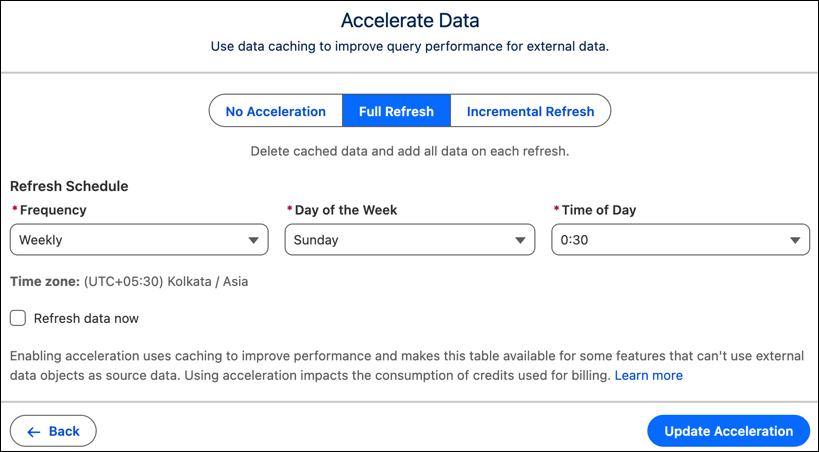
Improve the speed and reliability of external Data Lake Objects by using data caching to store frequently accessed information. Data acceleration acts as a high-speed local accelerator for federated data, copying it into a temporary cache to process it with minimal latency. Select between full or incremental refreshes to keep your data current and ready for high-demand querying.
Where: This change applies to Tableau Next in Enterprise, Performance, and Unlimited editions.
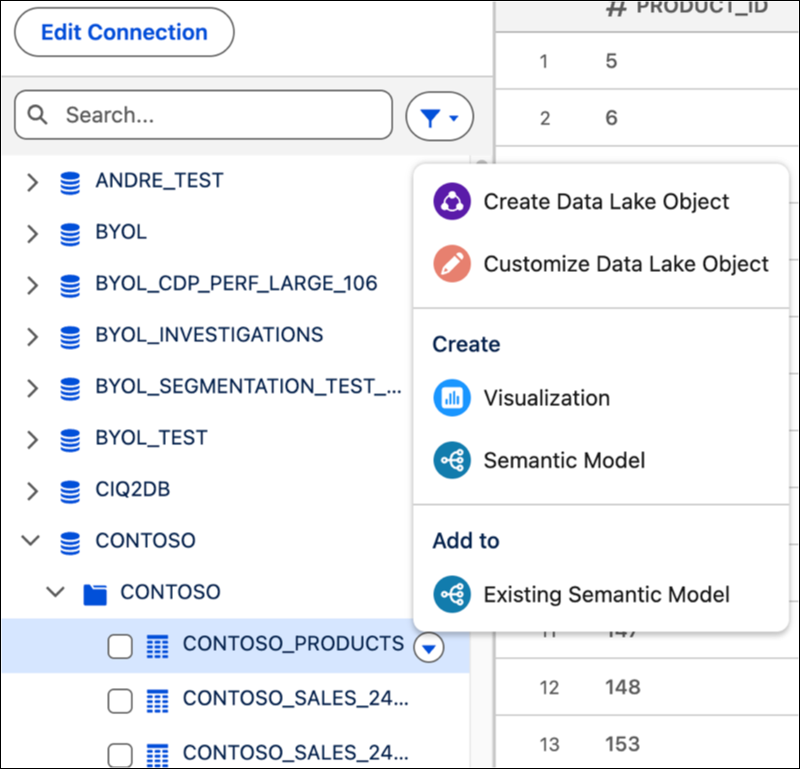
How: Open an existing Data Connection in your workspace then select the source data to update. Click Create Data Lake Object.
Click Edit to turn on acceleration. To cache data, select Full Refresh and select how often by using the Frequency menu.
For an incremental refresh, select a date field in the Record Modified Field and frequency. Click Refresh data now to start accelerating data. When you’re finished, click Update Acceleration.