
Get instant insights with new Tableau Next Marketplace dashboard templates tailored to your Sales Insights and Service Analytics Agent data. Installing the Sales Leaderboard dashboard gives you a comprehensive overview of your sales pipeline. Install Service Agent Analytics dashboard to gain instant visibility into your service agent performance. You can quickly prioritize opportunities to target for immediate action or optimize your agent for better quality.
Where: This change applies to Tableau Next in Enterprise, Performance, and Unlimited editions.
How:
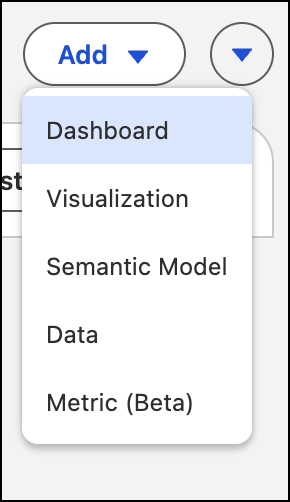
- From your Tableau Next workspace, click Add and select Dashboard
- Under Create New, select From Marketplace.

- Select the dashboard template that you want to use and walk through the flow to create your dashboard.
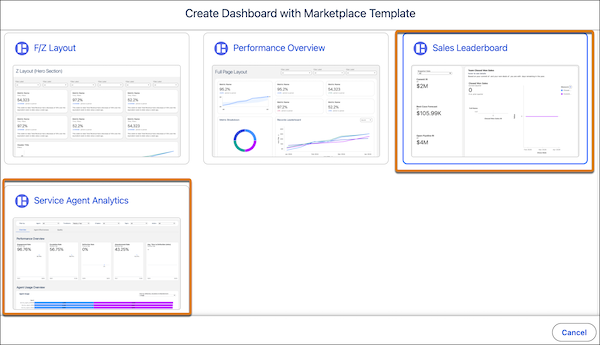
To use Sales and Service data, these Tableau Next dashboard templates require the prior installation of the associated data kit and data bundles.