
On the updated Setup page, view all of your available data spaces, and install a distinct version of the C360 Semantic Model in any of them. With more than one data space, you can segregate your data, metadata, and processes into categories, such as brand, region, or department, and then enable users to see and work with data specific to their category. Previously, you could only add the C360 Semantic Model in the default data space.
Where: This change applies to Lightning Experience with Data Cloud. Tableau Next is available in Enterprise, Performance, and Unlimited editions.
How: From Setup, in the Quick Find box, enter Apps, and select Intelligent Apps > C360 Semantic Model. Open the dropdown menu for the data space where you want to add the C360 Semantic Model, and select Install.
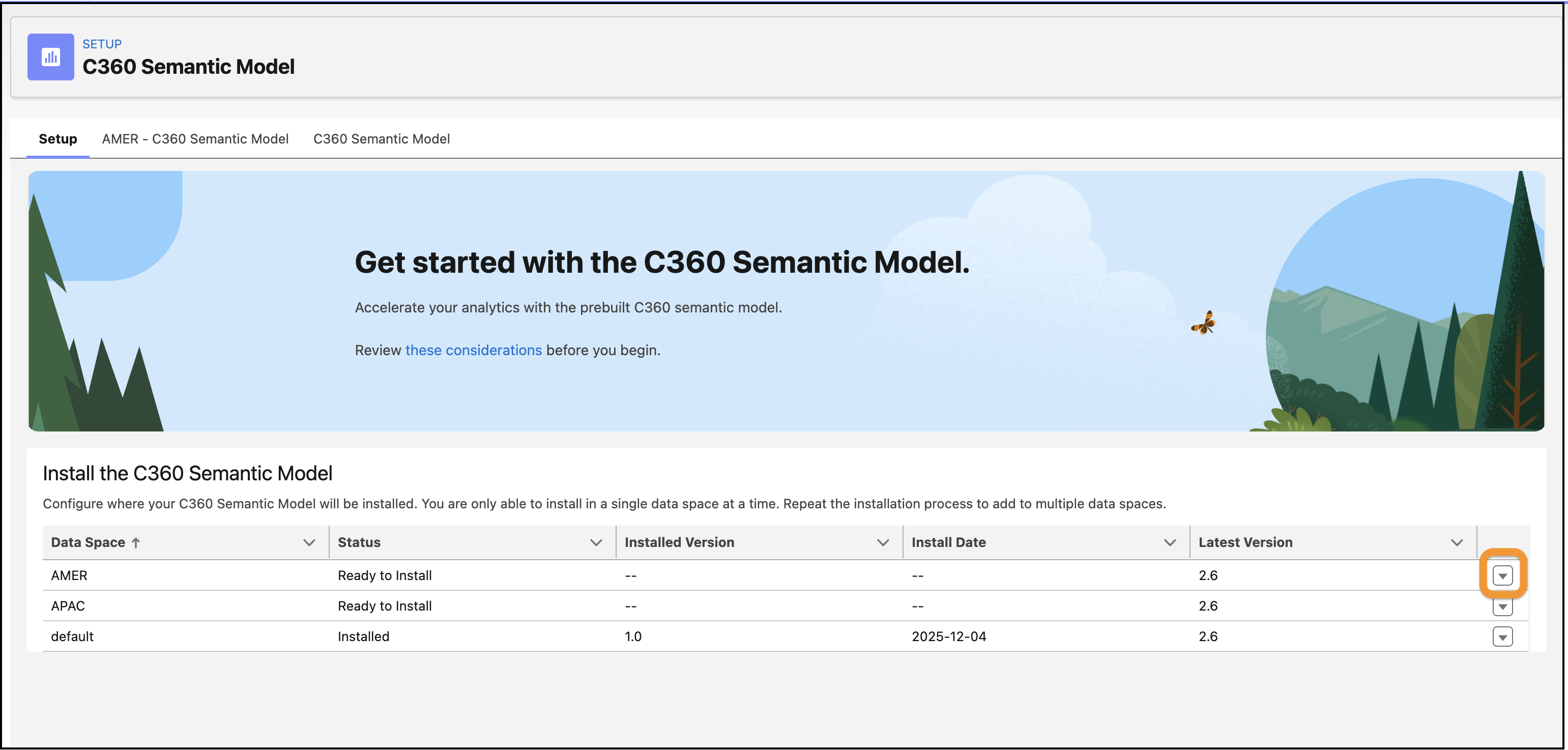
The Setup page adds a tab for each installed C360 Semantic Model, where you can view monitoring and resources information. When installed in a data space that is not the default, the name of the tab includes the data space name as a prefix, for example, “AMER - C360 Semantic Model.”