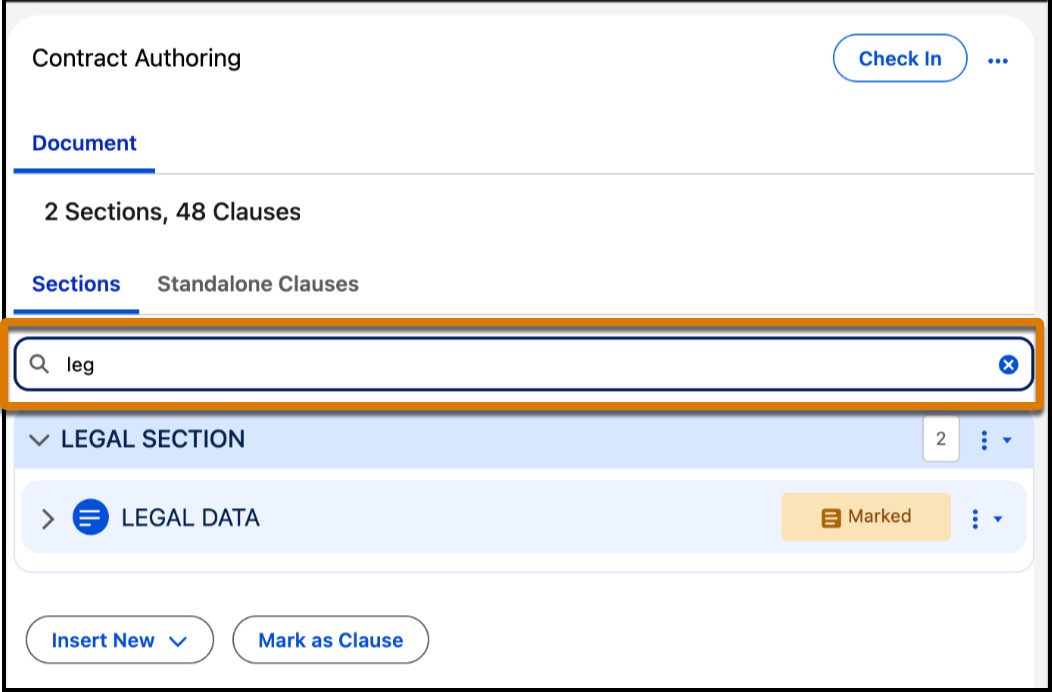
Contract authors can navigate large documents more easily with the new search field on the Sections and Standalone Clauses tabs of the Microsoft 365 add-in. The search results update with each keystroke and show only matching items in the panel, helping you locate the right content quickly without manual scrolling. Search also expands collapsed sections when it finds relevant results.
Where: This change applies to Lightning Experience in Enterprise, Performance, Unlimited, and Developer editions of Agentforce Revenue Management, formerly Revenue Cloud, with the Revenue Cloud Advanced license, or with the Salesforce Contracts license.
How: In the Microsoft 365 add-in, use the search field available on the Sections and Standalone Clauses tabs to find the content you need.