
Salesforce’s new agent-driven Setup experience integrates Setup with an AI assistant to simplify administrative tasks. Chat with the agent to issue commands or ask questions by using natural language. The agent makes activities like creating objects and flows, managing user access, and troubleshooting formulas more intuitive and efficient, reducing navigation and clicks.
Where: This feature is available in Lightning Experience in Enterprise, Performance, Unlimited, and Developer editions with Foundations or Agentforce 1 editions.

When: This feature is available starting in early January 2026.
Who: To use Setup with Agentforce, users must have these permissions: Use Setup with Agentforce and Execute Prompt Template. Users must also have access to the Data 360 default data space and the required permissions for the task they want to perform.
Why: Setup with Agentforce is available from every page in Setup. You can chat with the agent in the Agentforce panel while still viewing and navigating through Setup. And when necessary, the conversation can transition into a full-sized agentic experience that opens new conversations in different console tabs and includes a canvas to display rich content such as record details, list views, and metadata previews.
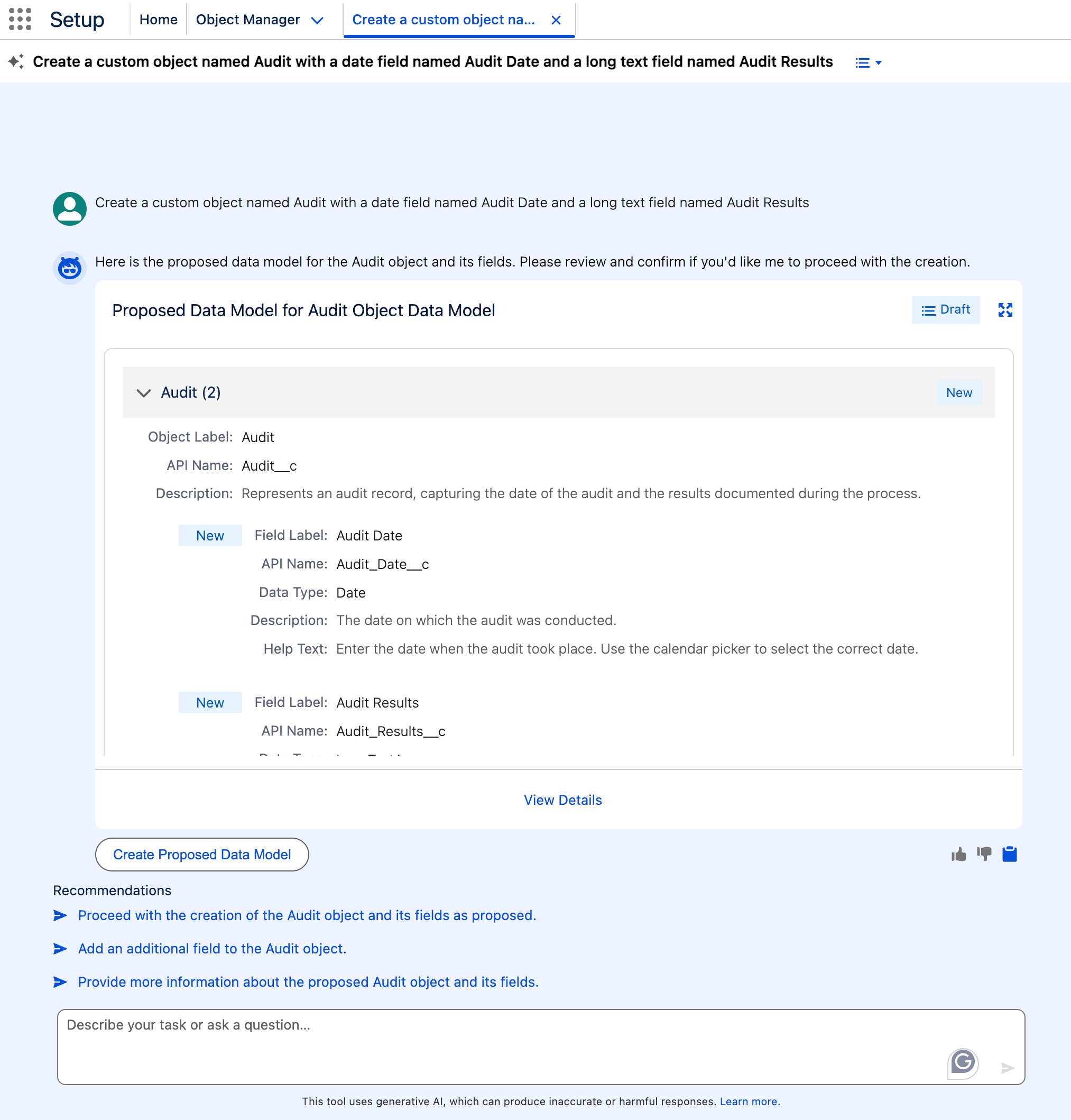
Setup with Agentforce also updates the Setup Home page released in Winter ’26 with a prompt bar, org health and usage metrics, and conversation recommendations to get you started working quickly with an agent to complete common tasks.
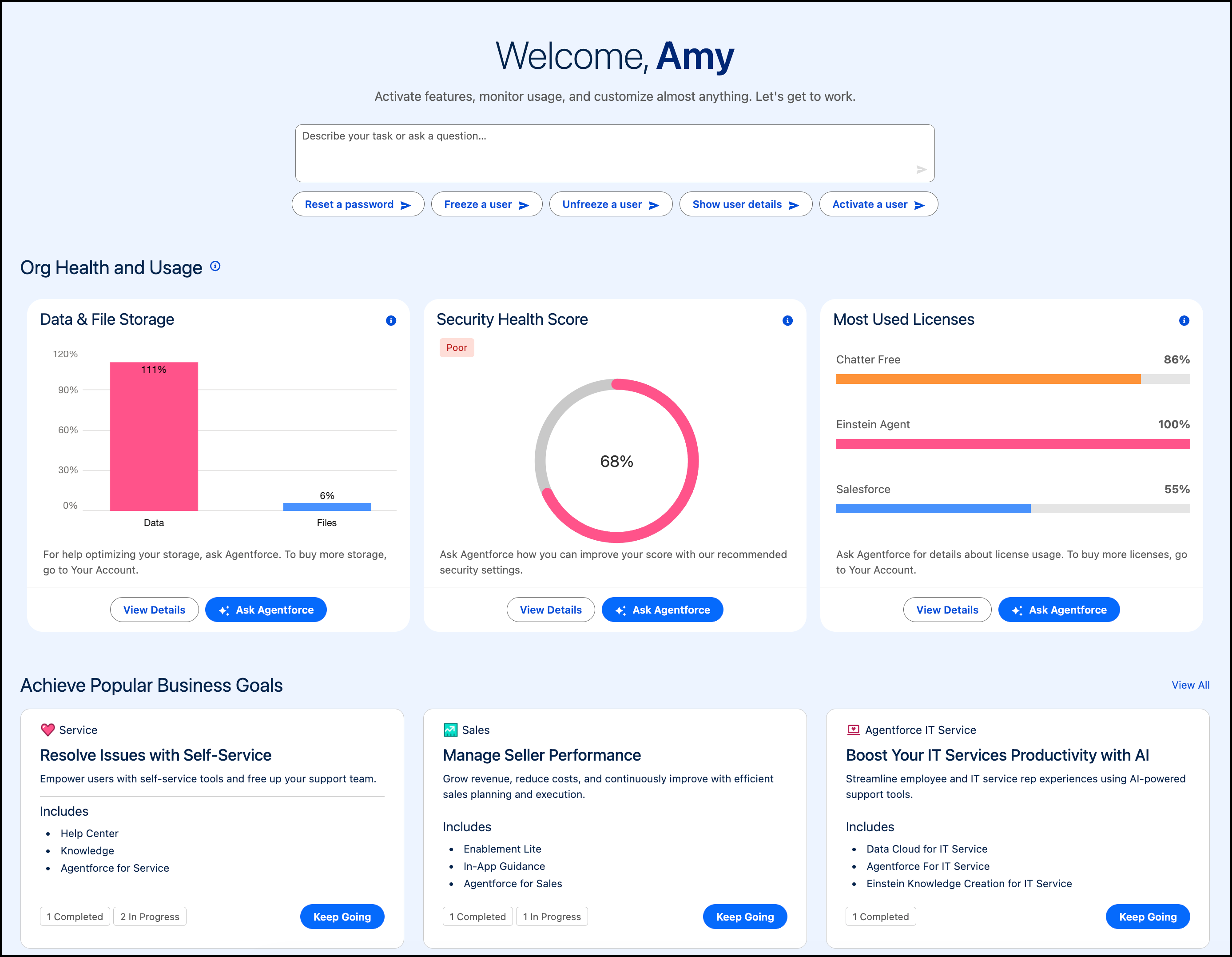
The new Setup agent supports many more Setup tasks than the previously released Agent for Setup, including:
- Managing users
- Troubleshooting user access
- Managing permission sets, permission set groups, organization-wide defaults, and sharing rules
- Creating custom objects and fields
- Creating and managing flows
- Getting information from Salesforce Help
- Navigating to the right Setup page to complete a task
- Creating a custom report type
- Creating Lightning pages
- Fixing issues and getting an explanation of formulas
- Getting information about usage and licenses
How: Before enabling Setup with Agentforce, ensure that Data Cloud is set up in your org. Then, if you haven’t yet, enable generative AI and then enable Agentforce.
To enable Setup with Agentforce, from Setup, enter Agentforce in the Quick Find box, and then click and turn on Setup with Agentforce (Beta). Then refresh your browser.
On Setup Home, start a conversation by using the prompt bar, conversation recommendations, or the Ask Agentforce buttons in the Org Health and Usage section.
On any other Setup page, click the Ask Agent for Setup (Beta) button
( ). During the conversation, you see record details, list views, documentation, and
other items that you can expand for additional information.
). During the conversation, you see record details, list views, documentation, and
other items that you can expand for additional information.