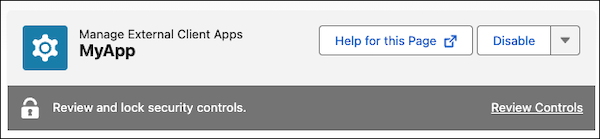
To secure your external client apps and connected apps, you can now lock specific OAuth security controls to prevent further edits. These security controls include the settings to require PKCE (Proof Key for Code Exchange) and to enable refresh token rotation. If these controls are enabled, you now see a banner that prompts you to review and lock them.
Where: This change is available in Lightning Experience and Salesforce Classic in all editions.
When: This change became available in April 2026. In late April 2026, we updated the UI labels to clarify the requirements for Partner Applications.
Who: For Partner Applications, you must lock these required controls to prevent further edits. If your app isn’t a Partner Application, these controls are recommended, but you aren't required to lock them.
How: The banner appears in your external client app and connected app settings if you have certain controls enabled. Click Review Controls and select the controls that you want to lock. After you lock a control, only Salesforce Customer Support can change it. Here's how the banner looks on the settings page for an external client app.