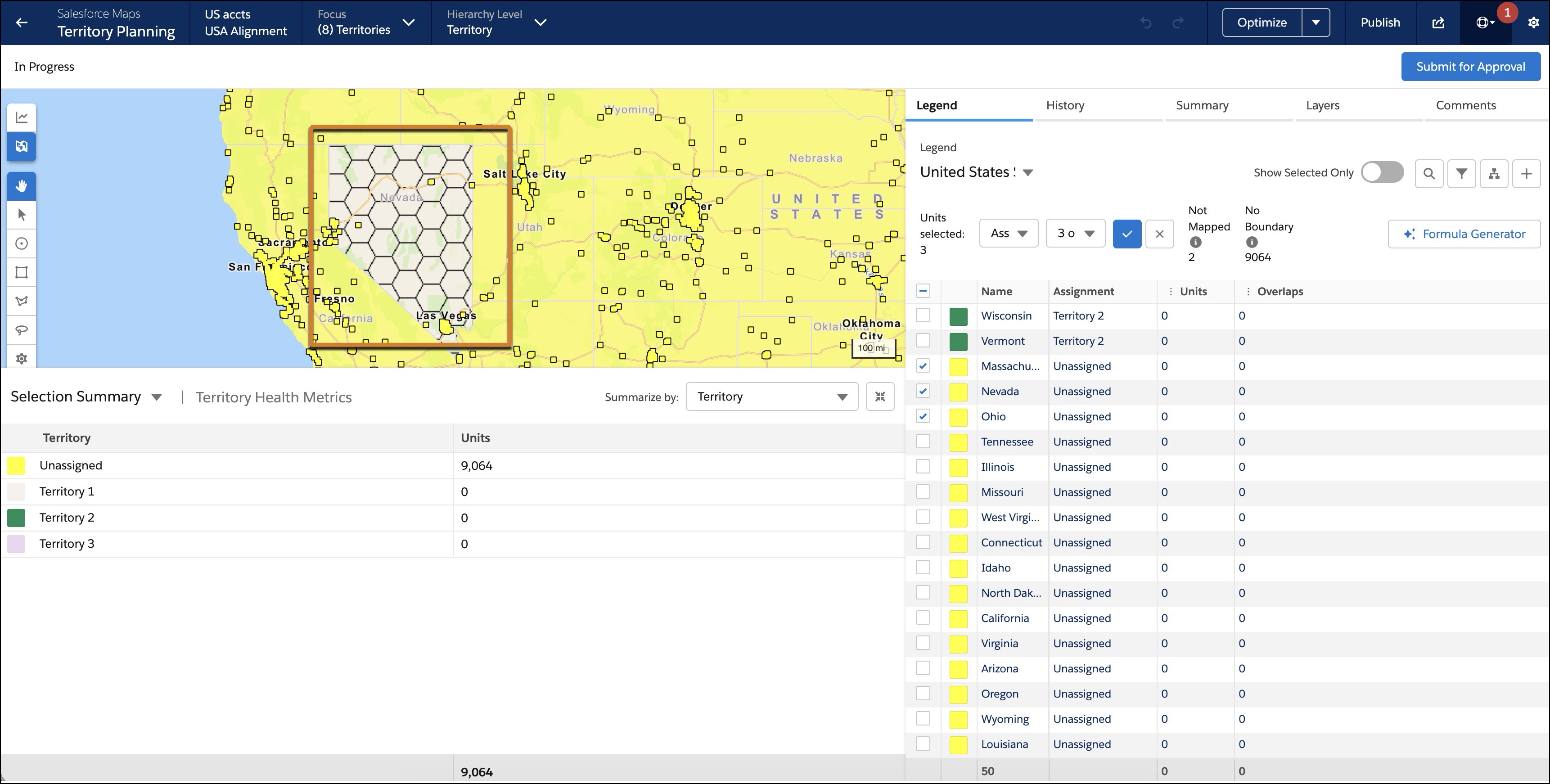
Refine your territory design in densely populated areas by allowing a single boundary, such as a postal code, to be assigned to multiple sales areas. This new capability is supported only for live data alignments and gives you more customization when modeling complex geographic territories like New York City or London. Units, however, can still only be assigned to a single area. Utilize area-level assignment rules to ensure units are correctly mapped when areas overlap.
Where: This change applies to Lightning Experience and Salesforce Classic in Professional, Enterprise, Performance, Unlimited, and Developer editions with Web Services API enabled.
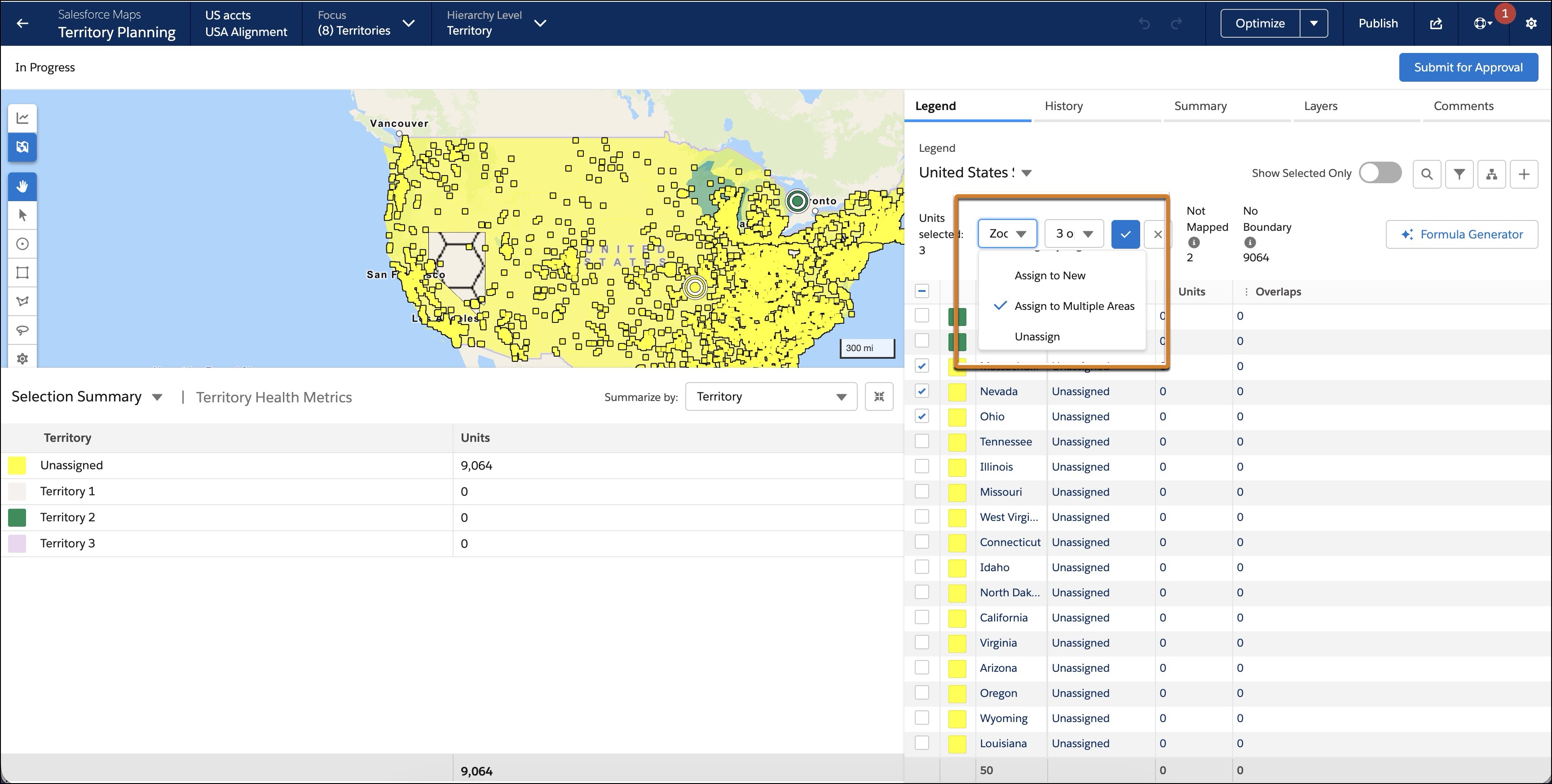
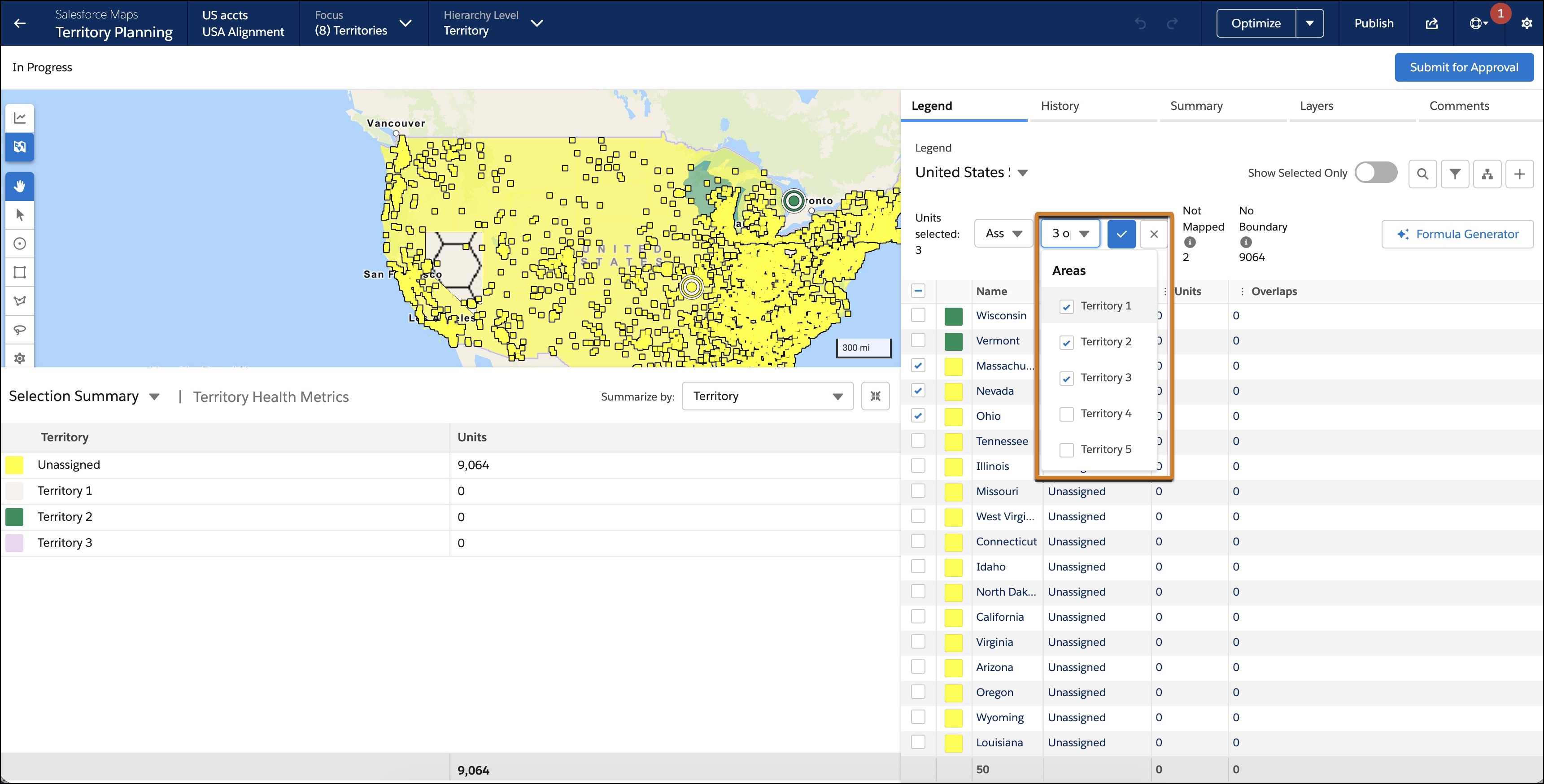
How: Admins and users can enable overlapping boundaries through several methods in the boundary legend. To use the new Assign to Multiple Areas action, select boundaries, choose the action, select multiple areas from the picklist, then select Preview and Confirm your changes. Alternatively, you can inline edit the assignment field in the boundary legend by selecting multiple areas from the list of area names.
To modify overlapping areas independently or to enable optimization (which is disabled when overlapping boundaries are in focus), use the Set Focus action to temporarily remove overlapping areas from the map. Boundaries that overlap are denoted by a hexagonal "honeycomb" pattern on the map and in the boundary legend.