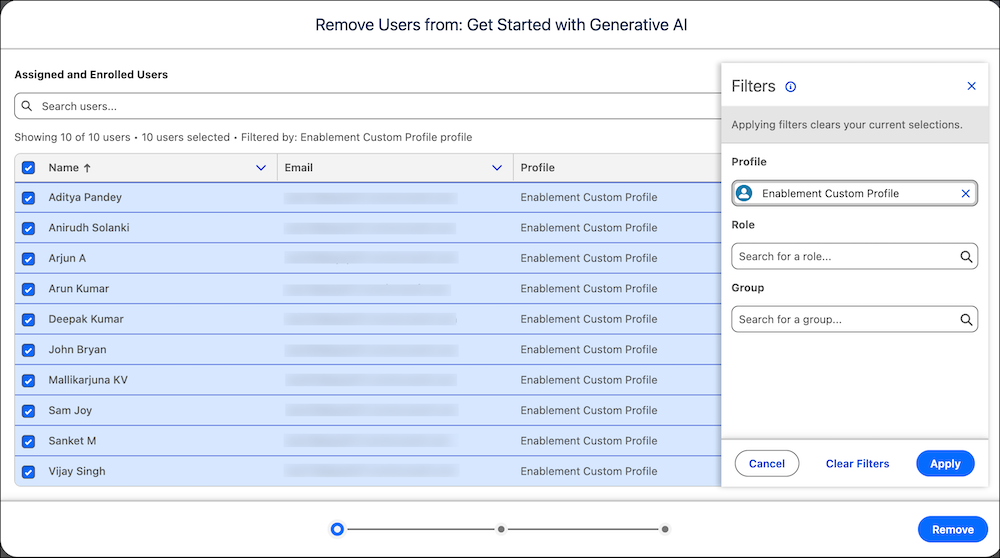
Save time and effort while removing users from your Enablement programs. With the automated bulk user removal flow, you can filter and remove a large number of users from your programs with less manual work. Previously, you could remove only one user at a time from a program.
Where: This change applies to Lightning Experience in Enterprise, Performance, Unlimited, Einstein 1 Sales, and Developer editions with Sales Cloud, Service Cloud, or Salesforce Platform. An Enablement add-on license is required.
How: On the user removal window, filter the assigned and enrolled users by their profile, role, and public group. Select all the matching users and remove them from the program.