
To avoid email delivery failures for emails sent from Salesforce, check your domain’s verification status. Salesforce now sends emails only from verified domains.
Where: This change applies to Lightning Experience and Salesforce Classic in all editions except Database.com.
How: From Setup, in the Quick Find box, enter Deliverability, and then
select Deliverability. In the Domain Verification section, for Domain
Name, enter your email-sending domain, such as example.com or
sub-domain.example.com, and then click Check
Verification.
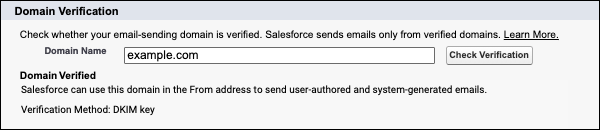
The Check Verification option is available shortly after your org gets Spring ‘26, patch 11. See Mandatory Email Domain Verification Schedule.