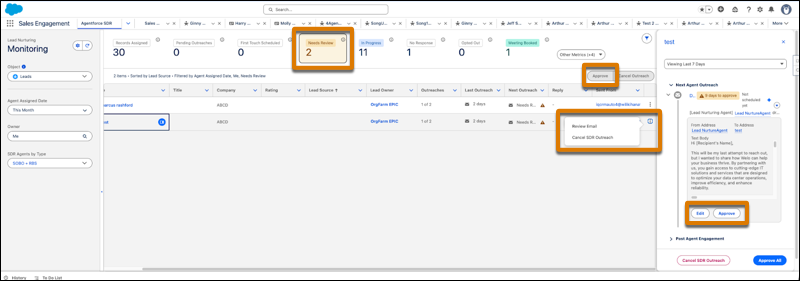
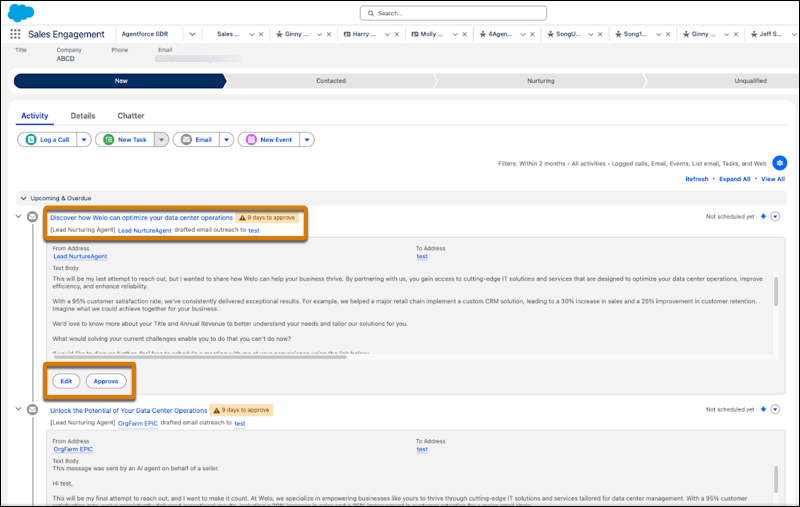
Sellers can now review, edit, and approve agent-generated emails before they are sent. Sales teams can add an agent to their top-of-funnel outreach workflow without ceding control over email content. Prospect owners can review intro, nudge, and reply emails, edit them, and either approve or cancel individual emails.
Where: This change applies to Lightning Experience in Enterprise, Performance, and Unlimited editions with Sales Cloud and the Agentforce Lead Nurturing add-on. Setup for agents is available on the desktop site.
When: This feature is available beginning February 13, 2026.
How: In Lead Nurturing Setup, turn on Require Manual Approval in the agent’s Email settings. If you have already activated a Lead Nurturing agent, create a new agent to enable Require Manual Approval. You can create a new agent with the new configuration and then deactivate the old agent.
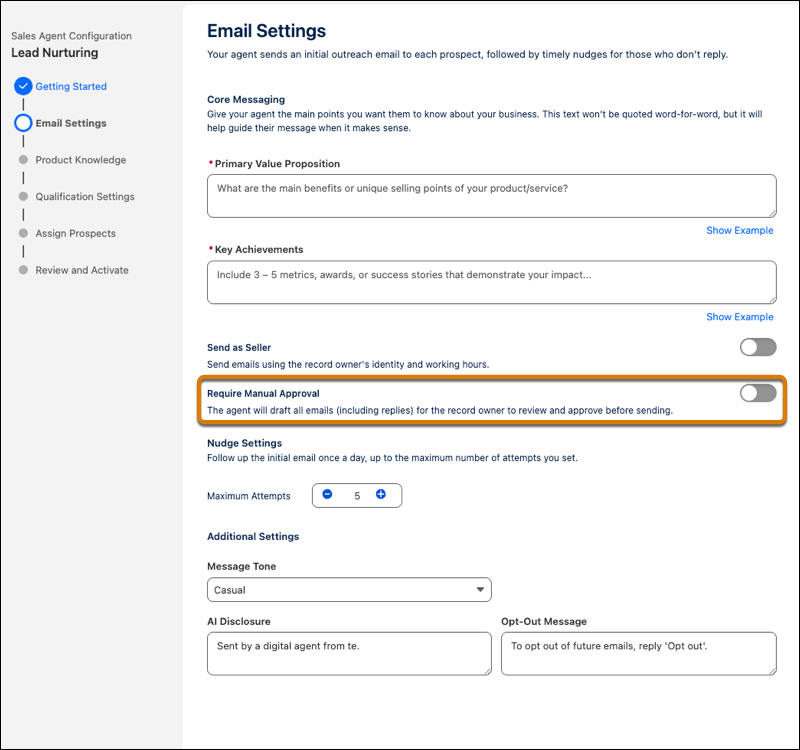
When Require Manual Approval is on, the prospect record owner and their manager see pending agent emails in the Activity Timeline and have up to 14 days to approve each email. The record owner or manager can edit the email before approving it. If Send as Seller is also turned on for the agent, only the record owner can approve emails sent on their behalf.
If both Send as Seller and Require Manual Approval are on in the agent setup, the agent omits the automatic AI disclosure at the beginning of each email because there is now a sales rep in the loop. When Send as Seller is on, only the prospect record owner or their manager can edit or approve the emails being sent on their behalf.
Sales reps can also see the full list of emails awaiting their approval in the Lead Nurturing Control Center. To review, edit, approve, or reschedule one or more emails, select them from the list.