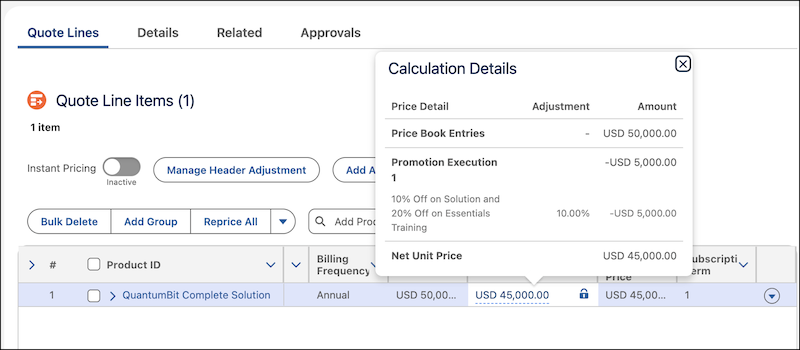
Empower pricing designers to create manual and automatic promotions that offer discounts on products and categories. Designers define promotion eligibility based on rules and sales channels, and specify how to evaluate multiple applied promotions. Show your users, such as sales reps, partners, and customers, these promotions when they browse products and catalogs. Apply automatic promotions to lines when users add products to transactions. Users can apply manual promotions when they configure products and manage lines. They can see applied discounts in the price waterfall and the applied promotions on assets. They can also apply promotions when they amend or renew assets.
Where: This change applies to Lightning Experience in Enterprise, Performance, Unlimited, and Developer editions of Agentforce Revenue Management, formerly Revenue Cloud, with the Revenue Cloud Advanced license.
Who: To see and apply promotions, users need the Apply Promotions on Sales Transactions permission set.
Why: Let’s say a company, QuantumBit, wants to drive longer contracts and secure a predictable, recurring revenue stream by using promotions.
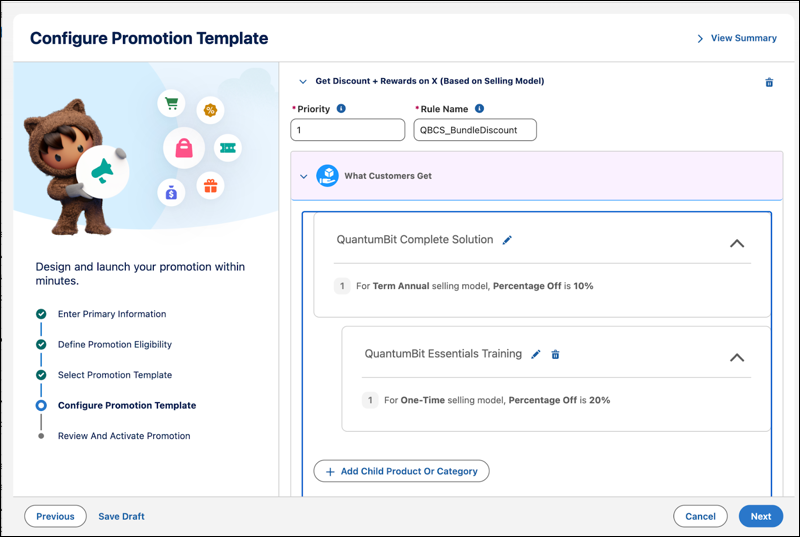
Pricing designers provide a 10% discount on a bundled product, QuantumBit Complete Solution, when users buy the product with an annual subscription. They also provide an additional 20% discount on an optional child product, QuantumBit Essentials Training, when customers buy it as part of the bundle.
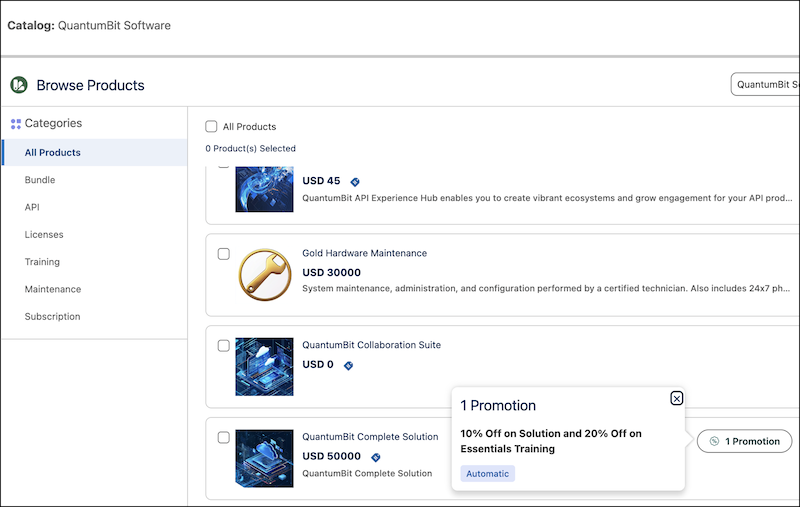
When users browse and add the products, they see the eligible promotions. These promotions influence customers toward longer subscriptions of the bundled product and encourage purchases of the child product’s subscriptions.
After applying promotions, users see the applied discounts in the price waterfall to understand the price breakdown.