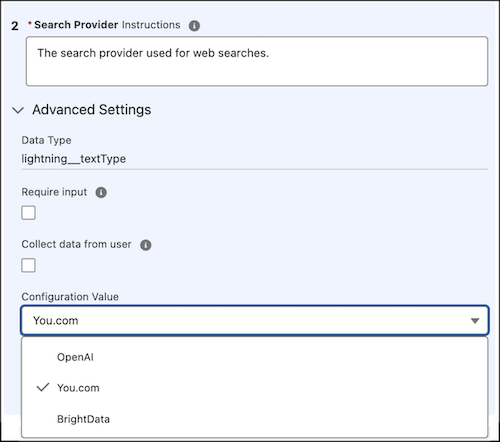
The Search The Web agent action now supports You.com as a search provider, expanding the available options for processing web search requests. Previously, the provider was specified by using a text input and supported only BrightData and OpenAI. Now, the configuration includes a selection list for selecting the search provider. If the selection list isn't available in the existing configuration, replace the action with a new copy from the asset library.
Where: This change applies to Lightning Experience in Enterprise, Performance, Unlimited, and Developer Editions with Foundations or Agentforce 1 Editions.
When: This change is available starting from April 7, 2026.
How: In Agentforce Builder, open the Search The Web agent action and click Edit Action. In the Inputs section, locate the Configuration Value under Search Provider, and select a search provider from the dropdown.