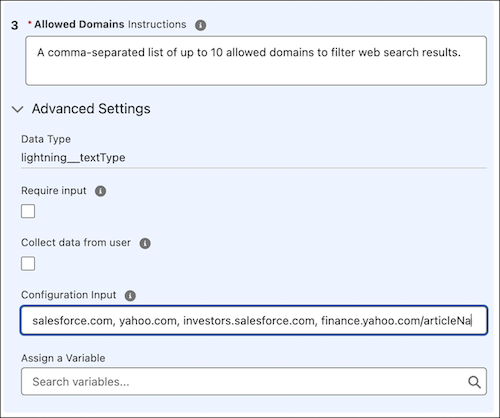
The Search The Web agent action now supports specifying allowed domains to filter web search results. You can enter up to 10 allowed domains to limit search results to approved websites. Allowed domains are configured per action and don’t affect Trusted URLs defined in Salesforce Setup. If no domains are specified, web searches follow the default provider behavior and are not restricted by domain. For existing agents, admins must re-add the Search The Web agent action in the Agentforce Builder to access the allowed domains setting.
Where: This change applies to Lightning Experience in Enterprise, Performance, Unlimited, and Developer Editions with Foundations or Agentforce 1 Editions.
When: This change is available starting from February 17, 2026.
How: In Agentforce Builder, open the Search The Web agent action and click Edit Action. In the Inputs section, locate the Allowed Domains, and enter up to 10 comma-separated domains.