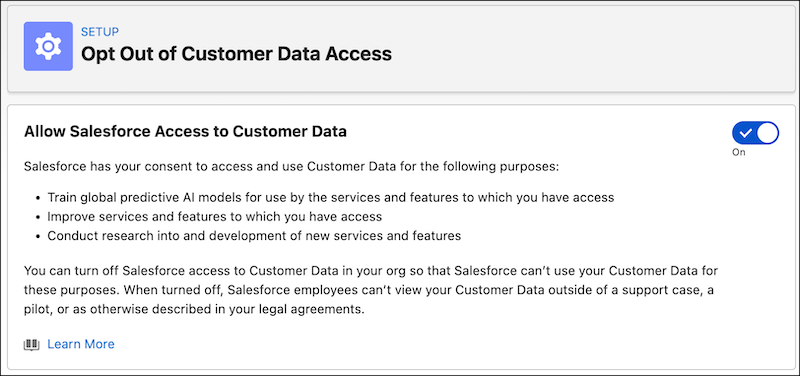
You can now use a self-service toggle in the Setup UI to opt out of allowing Salesforce to access Customer Data in your org. Previously, opting out required customers to submit a support case.
Allowing access gives Salesforce consent to use Customer Data, as defined in our Main Services Agreement (MSA), in your org for the following purposes:
- Train global predictive AI models for use by the services and features to which you have access
- Improve the services and features to which you have access
- Conduct research into and development of new services and features

If you turn off Salesforce access to Customer Data in your org:
- No new data is shared. Salesforce retains your collected data for up to 30 days, after which it’s deleted and can’t be recovered.
- No Salesforce employee will view your Customer Data outside of a support case, a pilot, or as otherwise described in your legal agreements.
Where: These changes apply to Lightning Experience in Enterprise, Performance, Unlimited, and Developer Editions.
When: Consent management for data sharing is available starting February 4, 2026.
How: In Setup, go to Einstein Setup and turn on Einstein if it’s not already enabled. Go to Opt Out of Customer Data Access and turn consent on or off.