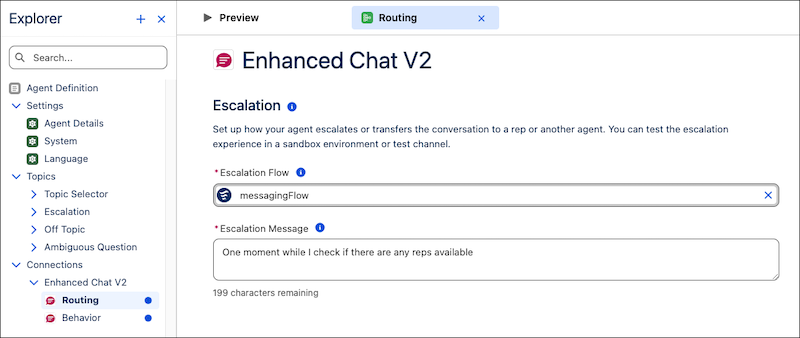
You can now add the Enhanced Chat v2 connection to an Agentforce Service agent in the new Agentforce Builder. This connection gives the agent context and structure that helps it deliver conversational messages on Enhanced Chat v2 deployments. You can also create and view your agent’s Enhanced Chat channels and Enhanced Chat v2 deployments on the connection's routing page. Previously, Messaging was the only connection available in the new Agentforce Builder and you couldn’t remove it from agents.
Where: This change applies to Lightning Experience in Enterprise, Performance, Unlimited, and Developer Editions with Foundations or Agentforce 1 Editions.

When: This change is available starting the week of January 5, 2026.
How: From the App Launcher, enter Agent, and then select the Agentforce Studio app. On the Agents (beta) tab, click the name of your agent.
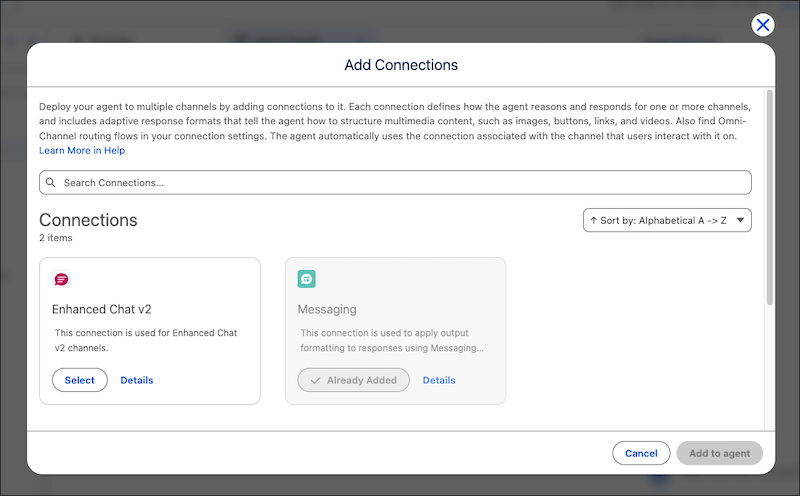
To add the Enhanced Chat v2 connection to the agent, click  on the Explorer panel. Then select Add Connection. On
the Add Connections window, select Enhanced Chat v2 and then
click Add to Agent.
on the Explorer panel. Then select Add Connection. On
the Add Connections window, select Enhanced Chat v2 and then
click Add to Agent.
To create and view Enhanced Chat channels and Enhanced Chat v2 deployments, select Routing under Enhanced Chat v2 on the Explorer panel.