
Go beyond simple data collection. Transform your WhatsApp Flows into dynamic, data-driven experiences to drive higher customer engagement and conversion rates. Based on input data and user responses, adapt the message content and screens. For example, offer personalized interest rates based on the user’s credit history or dynamically render the next screen in a WhatsApp Flow based on a user’s response in the previous screen.
Where: This change applies to:
- Unified WhatsApp in Enterprise and Unlimited Editions.
- Service Cloud WhatsApp. View required editions.
When: This change goes live on May 5, 2026.
How: To create a dynamic WhatsApp Flow, add a Flow format to an Apex-based form messaging component. Configure the Flow format to show rich content–such as a header, body, and footer.
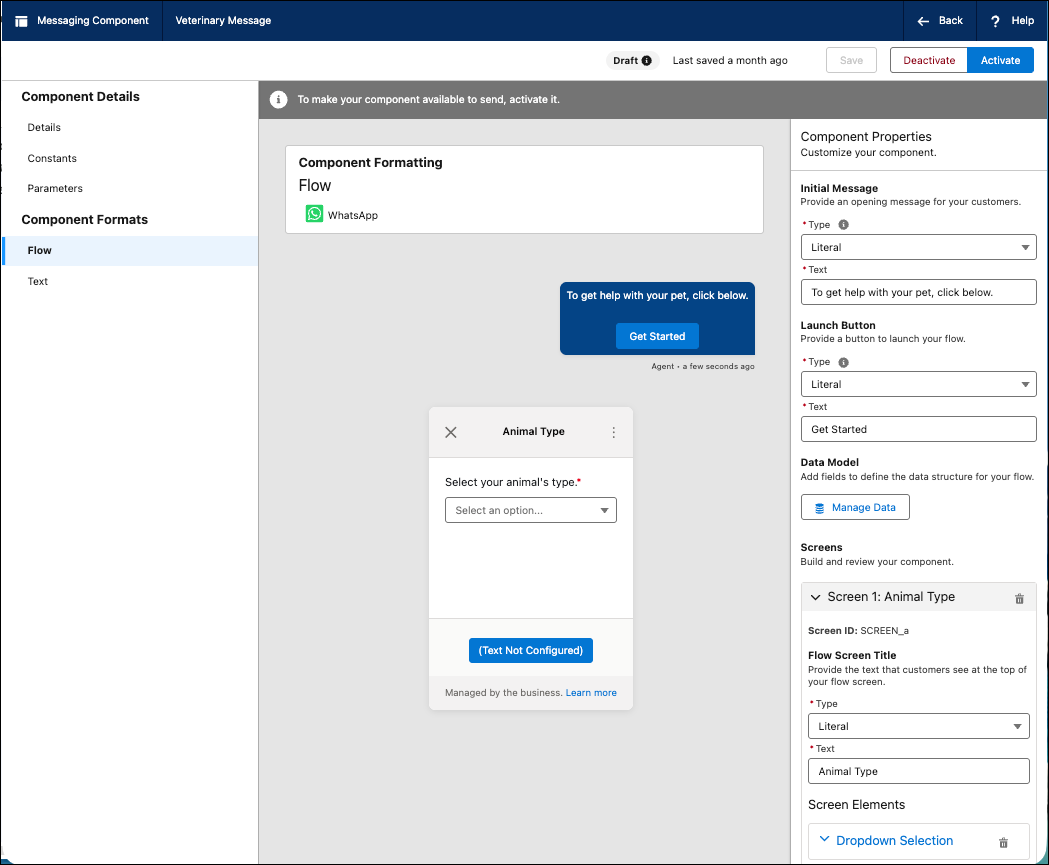
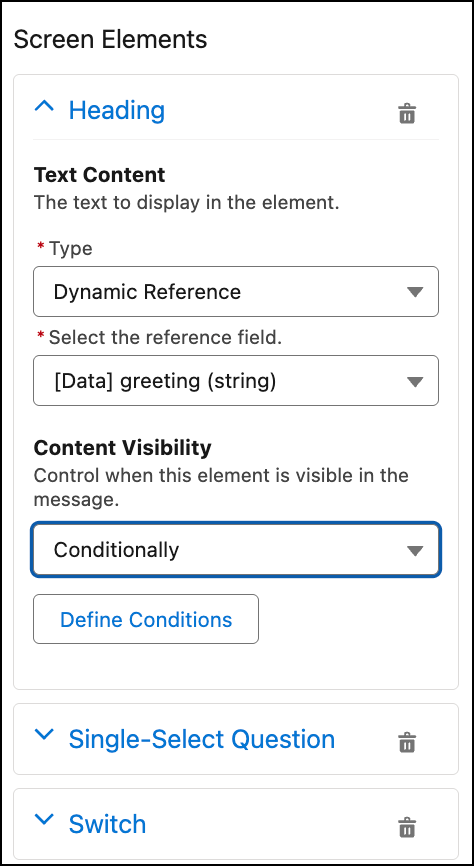
To show different content based on selections, use conditional logic. For example, the selection on one screen determines the content and layout of the next screen. To personalize the message for each customer, add dynamic references that populate Flow properties with values from input parameters.
To launch the dynamic WhatsApp Flow from a WhatsApp template, add a Complete Flow button to the WhatsApp template.