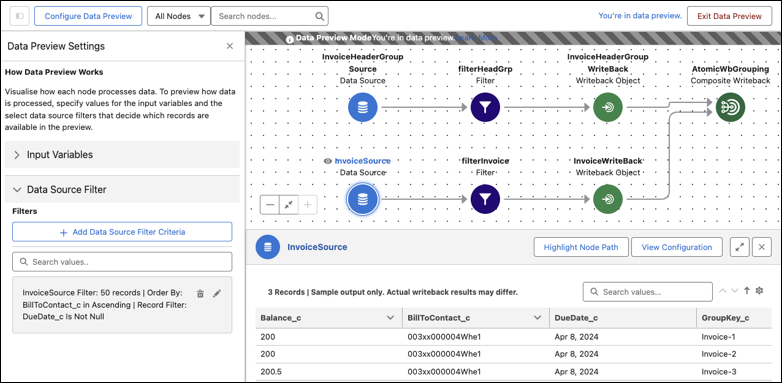
Validate your definition design instantly during creation. Generate data previews to verify that your configuration meets business needs and to identify logic errors. Use input variables to simulate different runtime conditions and apply data source filters to isolate specific datasets. Easily search the results to check whether definitions are working as expected. Intuitively correlate the results with node configurations and visualize how data flows across nodes.
Where: This change applies to Lightning Experience in Professional, Enterprise, Unlimited, and Developer editions where Data Processing Engine is available.
How: On the Data Processing Engine builder, click Generate Data Preview. Enter input variable values and select data source filters. Click Apply Settings. Click a node to preview the results for the node.