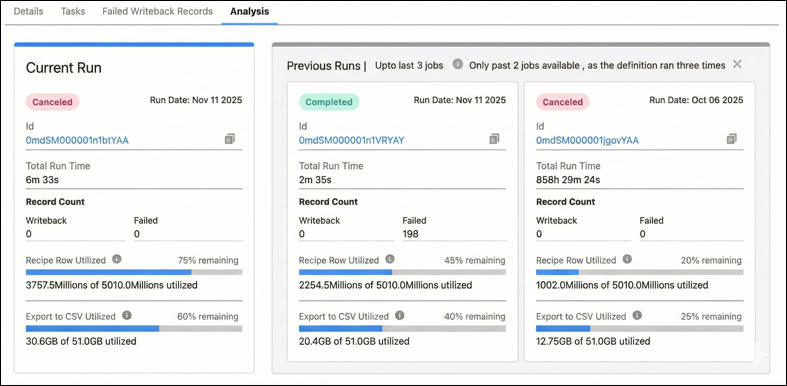
Get comprehensive observations about the performance of definitions and their runs on the Analysis tab. Use the tab’s insights to stay informed about duration and data processing volumes for the latest and previous runs. Make informed decisions about your org’s Data Pipeline usage requirements by tracking the execution and writeback utilization numbers. Easily find the reasons and the remedies for failed runs.
Where: This change applies to Lightning Experience in Professional, Enterprise, Unlimited, and Developer editions where Data Processing Engine is available.
How: Open a definition run. Click Analysis.