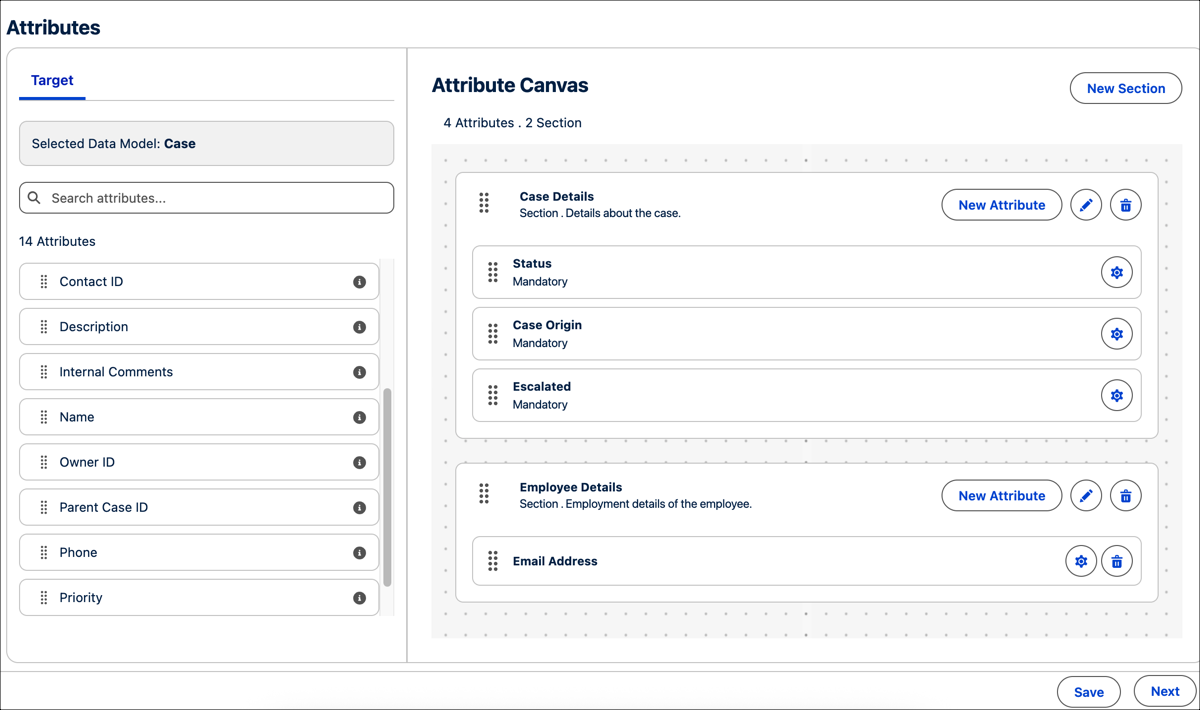
Service designers can now directly create, view, and select attributes from the service object, then add them as Service Process Attributes. This process eliminates the need to rely on system admins for context definition and mapping. You can specify default values or make these fields available for user entry, ensuring your primary record captures the relevant, up-to-date inputs.
Where: This change applies to Lightning Experience in Professional, Enterprise, and Unlimited editions with Unified Catalog.
How: On the Attributes tab, drag attributes from the data model to the appropriate section in the canvas. To create an attribute, click New Attribute in a section.