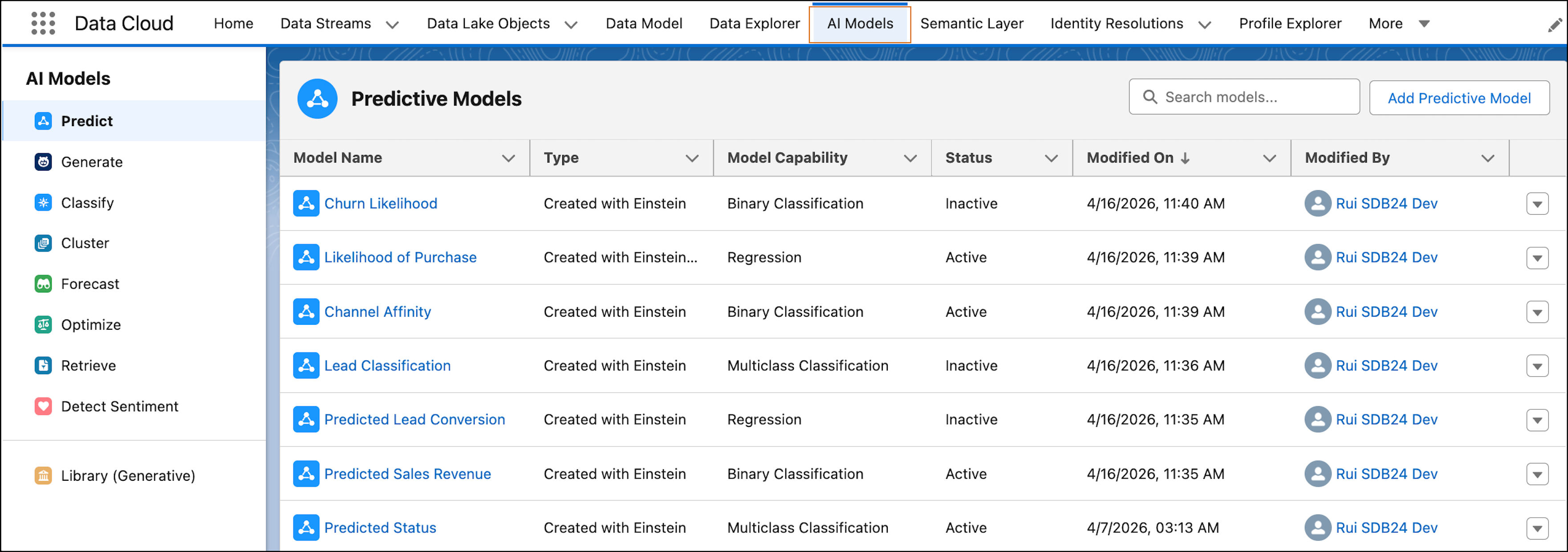
Go beyond standard predictive models and unlock advanced AI capabilities in Data 360. The Einstein Studio tab is now the AI Models tab—a simplified, centralized experience for building and managing AI models.
Where: This change applies to Data 360 in the Enterprise, Performance, Unlimited, and Developer editions.
When: This change is available starting in April 2026.
Why: Personalize experiences, prioritize outreach, and make data-driven decisions with these new predictive capabilities.
- Forecasting: Predict future trends and outcomes to plan ahead and allocate resources effectively.
- Sentiment detection: Uncover customer sentiment to personalize engagement and respond more effectively to customer needs.
- Text classification: Categorize text into relevant topics or themes.
How: In Data 360, go to the AI Models tab. Explore predictive and generative capabilities in the left navigation. To view model details and take action, select a model. You can also create new models and use these capabilities in batch data transforms or as SQL functions.