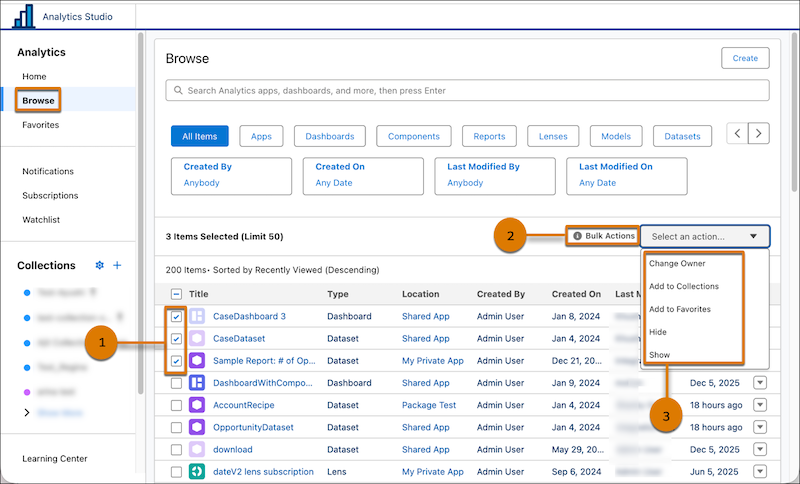
Minimize the risk of human error associated with repetitive manual tasks and manage multiple CRM Analytics assets efficiently with new bulk actions. You can now add or remove Favorites, and hide or show assets. You can perform bulk actions on up to 50 assets at a time. Previously, bulk actions were limited to Change Owner and Add to Collection.
Where: This change applies to CRM Analytics in Lightning Experience and Salesforce Classic. CRM Analytics is available in Developer Edition and for an extra cost in Enterprise, Performance, and Unlimited editions.
How: In Analytics Studio, click Browse, and select the items that you want to update (1). From the Bulk Actions dropdown (2), select a bulk action (3).