
Enhance data handling, strengthen security, and speed up query responses by using Data 360 SQL. New compact form queries and custom SQL queries now run on Data 360 SQL by default. Existing custom SQL queries continue to use legacy SQL, and you can manually switch them to Data 360 SQL for improved performance.
Where: This change applies to CRM Analytics in Lightning Experience and Salesforce Classic. CRM Analytics is available in Developer Edition and for an extra cost in Enterprise, Performance, and Unlimited editions.

How: Select a lens that contains a custom SQL query. In the custom SQL query editor, click the SQL Version dropdown and select Data 360 SQL.
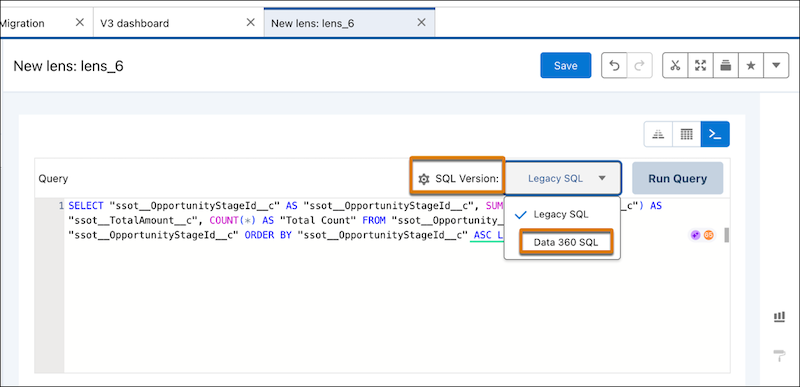
In the confirmation window, click Change to Data 360 SQL, and then click Update.
You can't change the SQL version of a query back to Legacy SQL once you have changed it to Data 360 SQL.