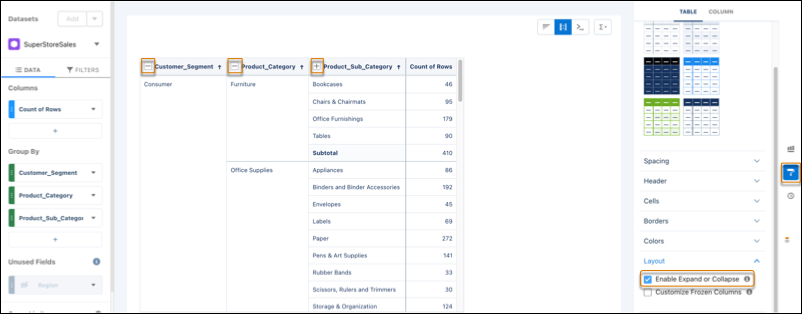
You can now expand and collapse groups and sub-groups in pivot tables to help you focus on specific insights and customize your view of large datasets.
Where: This change applies to CRM Analytics in Lightning Experience and Salesforce Classic. CRM Analytics is available in Developer Edition and for an extra cost in Enterprise, Performance, and Unlimited editions.
How: Create or edit a pivot table on your dashboard. Click the Formatting icon and expand the Layout section. Click Enable Expand or Collapse.