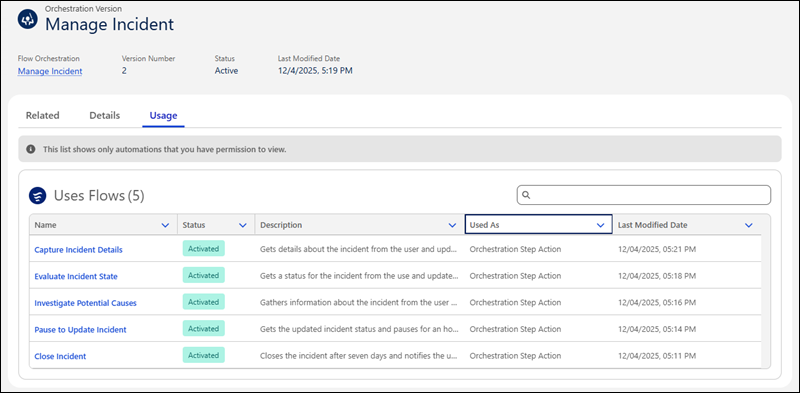
Quickly identify dependencies for your orchestrations with the new Usage subtab. On the Orchestrations tab in the Automation Lightning app, select an orchestration or version, then click Usage. The subtab shows automations that the selected item uses or automations that use the selected item.
Where: This change applies to Lightning Experience in Enterprise, Performance, Unlimited, and Developer editions.
Who: To view the flows that an orchestration version uses, you must have the Manage Flow user permission.
How: On the Usage subtab for a selected orchestration version, view the flows that the version uses and how it references them.