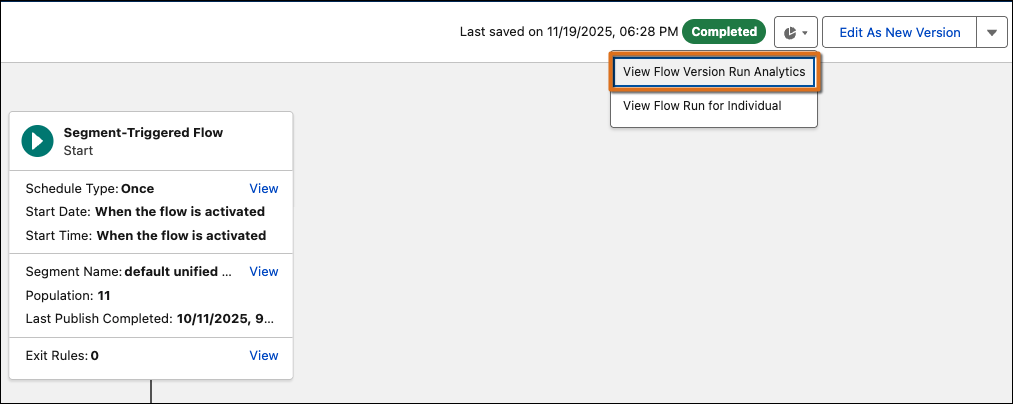
Get comprehensive insights into your flow version's overall health with new version-level analytics. Previously, understanding flow performance required piecing together data from individual element analytics or relying on incomplete aggregate metrics, which made it challenging to assess flow health holistically or spot systematic issues affecting multiple users. Now, you have a unified view showing completion rates, run status distributions, and detailed execution data across all individuals, so you can better monitor performance, identify version-wide trends, and share comprehensive insights with stakeholders
Where: This change applies to Lightning Experience in Marketing Cloud Growth and Marketing Cloud Advanced for automation event-triggered and segment-triggered flows with Data 360 element-level logging enabled.
Who: Users with Flow Performance installed and the Tableau Next Included App Business User permission set or higher-level permissions.
How: View version analytics in Flow Builder by opening a flow with completed runs,
clicking  , and selecting View Flow
Version Run Analytics from the dropdown menu. Review the summary panel for
overview metrics, or click Open Details to access the comprehensive
Tableau dashboard.
, and selecting View Flow
Version Run Analytics from the dropdown menu. Review the summary panel for
overview metrics, or click Open Details to access the comprehensive
Tableau dashboard.