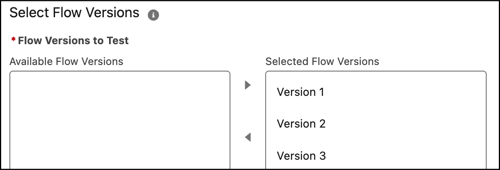
Reuse tests from previous flow versions if the scenario still applies to a new version. Align flow tests precisely with each flow version so updates don’t cause incorrect results from other flow versions.
Where: This change applies to Lightning Experience in Professional, Enterprise, Performance, Unlimited, and Developer editions.
Why: Previously, a flow test applied only to the latest flow version. You deleted previous tests that didn’t apply to the new flow version. For example, you deleted the flow test for flow version 1 after creating the flow test for flow version 2. Starting in Spring ’26, you associate the same test with multiple flow versions. Decide which test scenario is for which flow version. When you save a new flow version, the system automatically includes tests from the source flow version.
How: From Flow Builder, open a record-triggered flow and create a flow test. Complete the test details. Then select the flow versions that you want to associate with the test.
The flow test runs for the selected flow versions.