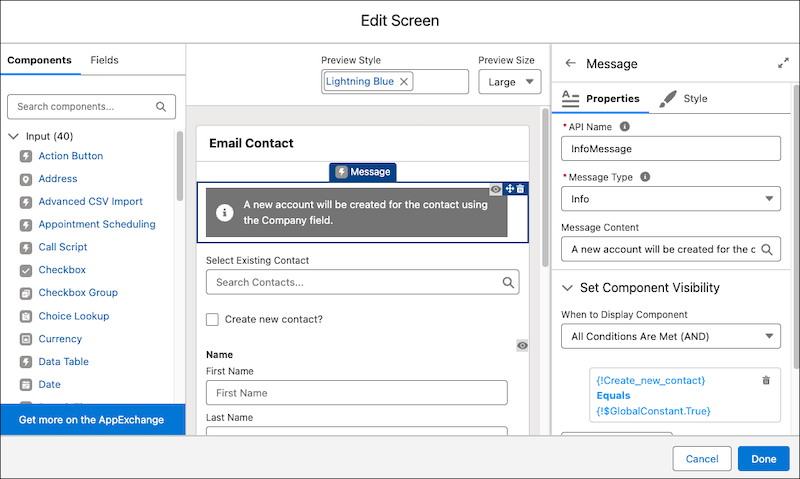
With the new Message screen component, you can add an eye-catching a11y-compliant message to a screen to show information, a success, an error, or a warning.
Where: This change applies to Lightning Experience and Salesforce Classic in Essentials, Professional, Enterprise, Unlimited, and Developer editions.
How: Add the Message display component to a flow screen. The message type determines the color and icon used for the message. Screen readers are able to read the message type to their users. For the message, you can enter text or select a flow resource to use as the message.