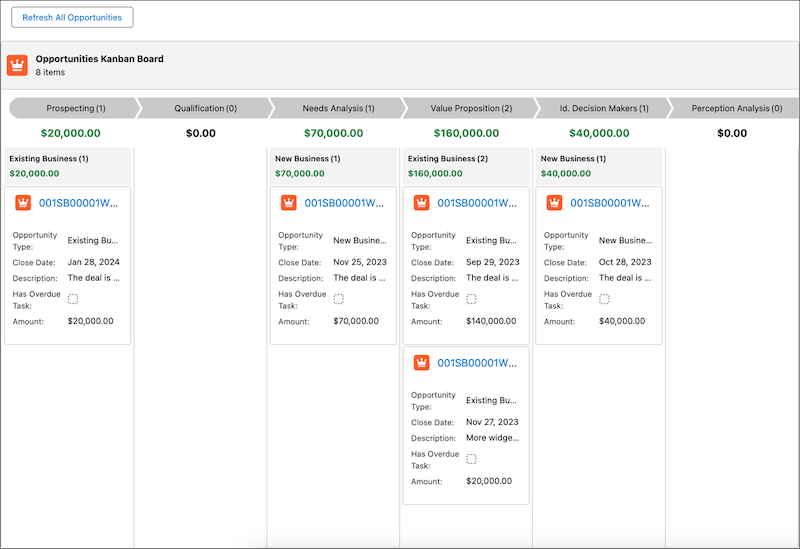
Use the new Kanban Board component to show records as cards in columns that represent workflow stages, without custom Lightning implementations. Your users gain instant visibility into record progress and record details without leaving the flow. The Kanban Board is read-only, so users can’t drag cards between stages at run time.
Where: This change applies to Lightning Experience and Salesforce Classic in Essentials, Pro Suite, Professional, Enterprise, Performance, Unlimited, and Developer editions.

How: Add the Kanban Board component to a screen and select a record collection whose records you want to show on the board. Then select a picklist field from Source Collection for column headers. You can select only picklist fields for column headers. The field order in the object metadata dictates the display order of columns. Finally, add the fields to show on record cards.
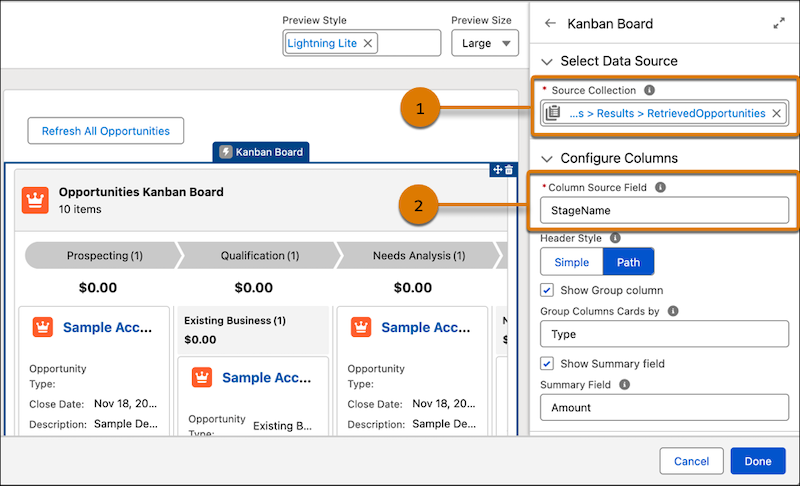
In this example, we used a Get Records element to fetch all Opportunity records, and set its output as the source collection (1). We selected the StageName picklist for the board’s column headers (2).
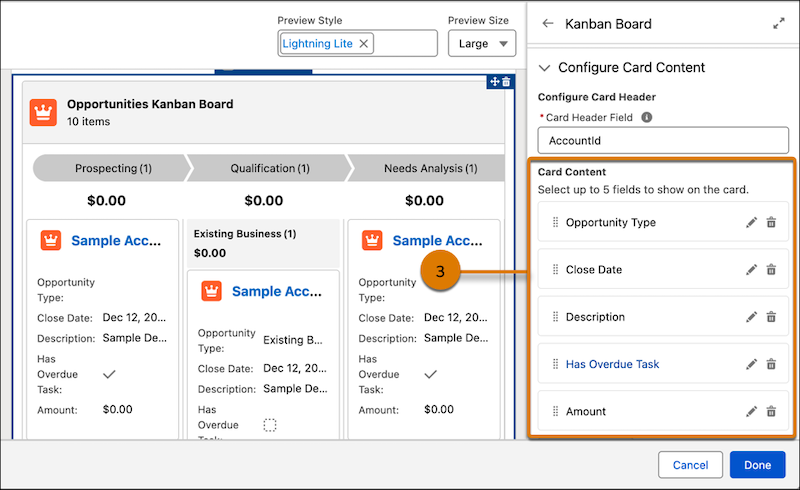
We added the Opportunity Type, Closed Date, Description, Has Overview Task, and Amount fields to the card content (3).
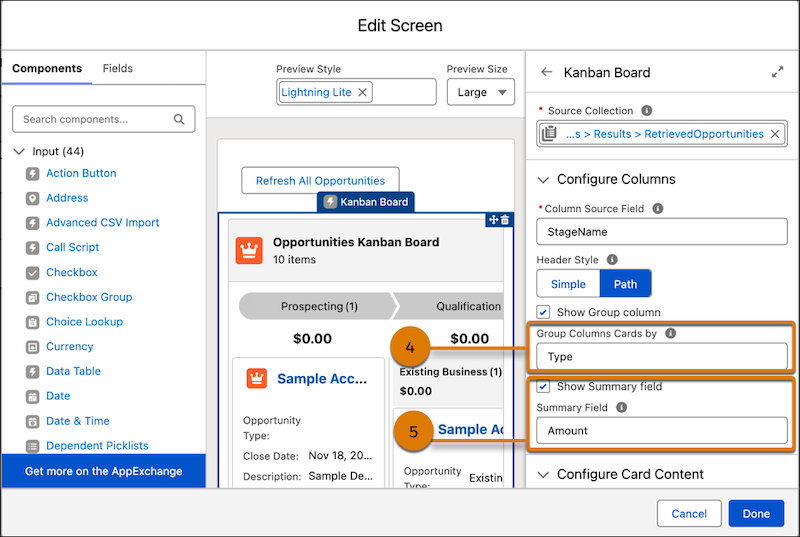
We then grouped the records by Opportunity Type (4) and selected the Summary Field (5) to show aggregates for the columns and groups.
Here’s the run-time view of the Kanban Board.