
Configure the Data Table component of a screen flow to support record editing at runtime. Previously read-only, the Data Table component now lets users modify values for specific field types. Confirmed changes are stored in the editedRows output parameter, making it easy to update records in Salesforce.
Where: This change applies to Lightning Experience in Essentials, Pro Suite, Professional, Enterprise, Performance, Unlimited, and Developer editions.
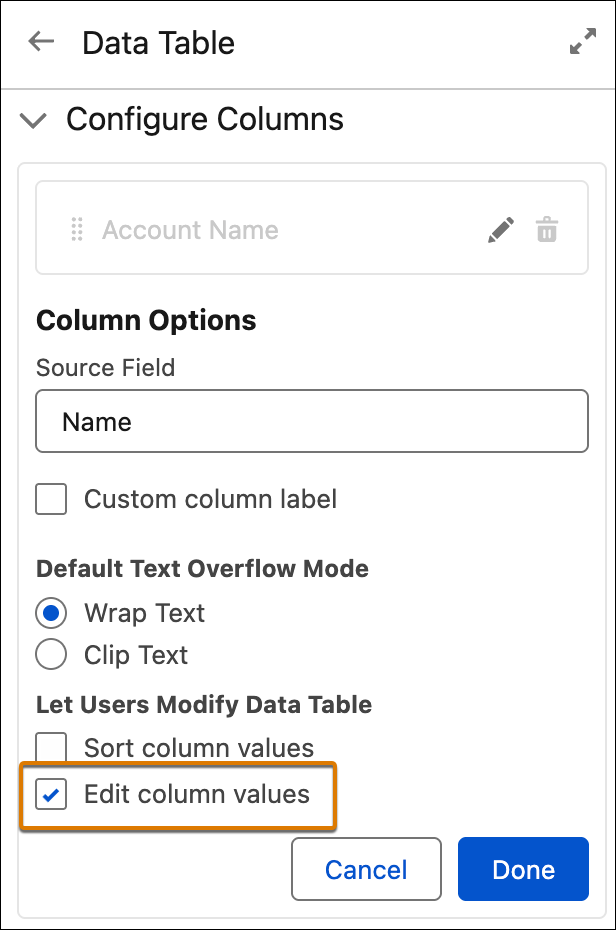
How: In a screen flow, configure the Data Table component columns to allow editing.
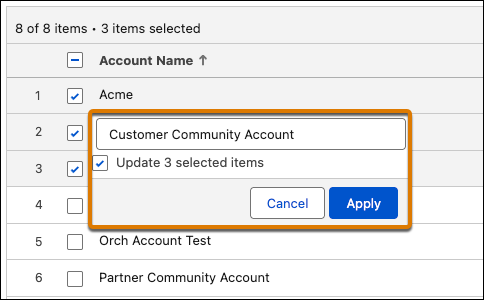
At flow runtime, users can update the supported record and apex field types. When editing a field, users click Confirm to apply changes or Cancel to revert to the last confirmed value. If multiple rows are selected, users can update all selected items.
To save changes, use the Edited Rows output collection. For example, add an Update Records element after the screen and set it to use the records stored in {!YourDataTableName.editedRows}.