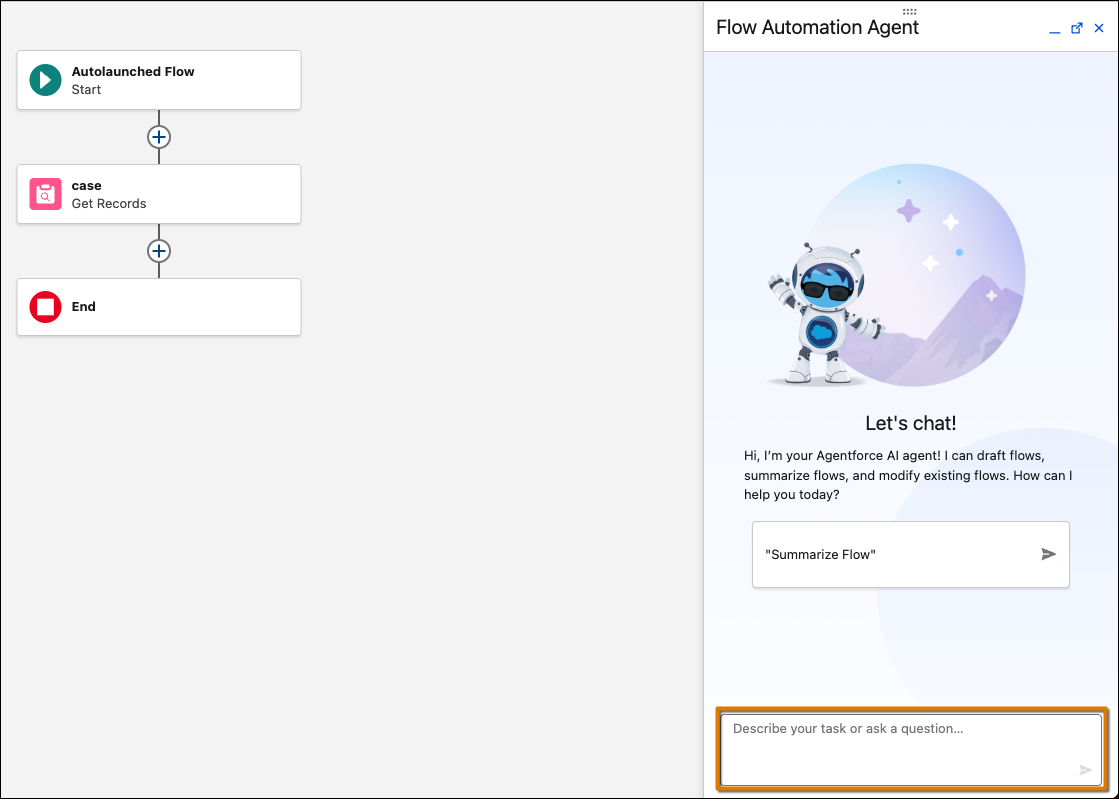
Improve and modify existing record-triggered and schedule-triggered flows by using natural language without starting from scratch. Use conversational prompts in the Agentforce panel to add, modify, and delete elements in a flow. This feature doesn’t consume generative AI credits.
Where: This change applies to Lightning Experience in Essentials, Pro Suite, Professional, Enterprise, Performance, Unlimited, and Developer editions with Foundations or Agentforce 1 editions. Verify Agentforce 1 editions feature availability with your account executive.
Who: Users with the Manage Flow permission or equivalent flow designer permissions who can create and edit flows.
How: Provision and enable Data 360 in your org. Turn on Einstein generative AI in Setup. Then, open any existing record-triggered or schedule-triggered flow in Flow Builder. Opt in to migrate to Agentforce, then use the Agentforce panel to describe the modifications you want to make. For example:
- “Add a decision element to check if the opportunity stage is Closed Won”.
- “Remove the loop element that processes inactive accounts”.
- “Add a fault path to handle errors in the Create Records element”.
Agentforce processes your request and applies the changes to your flow, highlighting modifications on the canvas so you can quickly identify what changed.