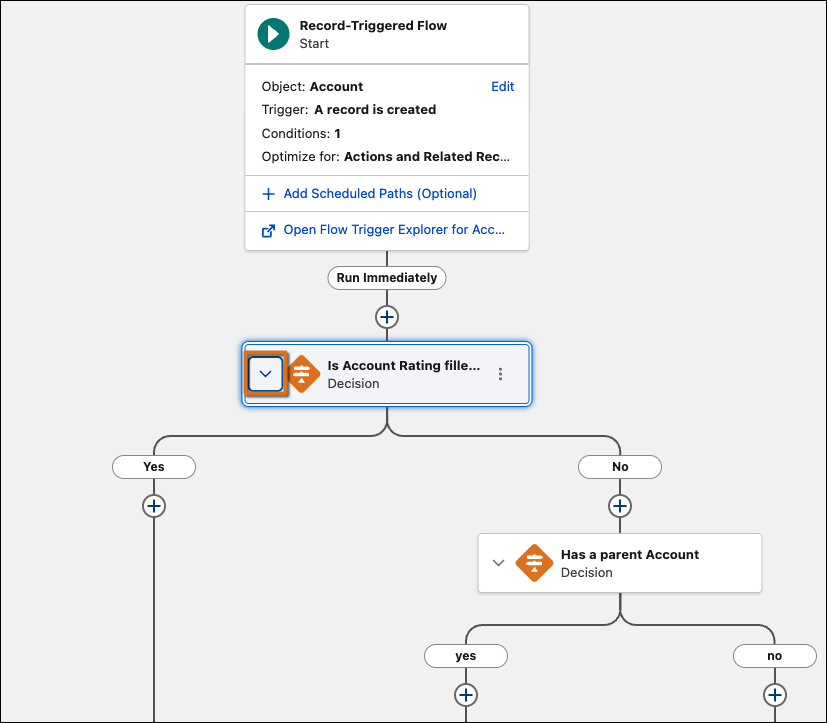
Manage complex flows more efficiently by hiding unnecessary detail on the canvas. Now you can collapse and expand branching elements with Flow Builder, including Wait, Decision, Loop, Path Experiment, and Async Actions, helping you focus on the key parts of your flow. To ensure a consistent workflow, Flow Builder remembers your specific expand and collapse preferences. This layout is saved automatically and locally in your browser, making it easier to return to your work without changing the view for other users.
Where: This change applies to Lightning Experience, Salesforce Classic in Essentials, Professional, Enterprise, Performance, Unlimited, and Developer editions.
How: Collapse and expand branching elements in the Flow builder canvas by clicking
 or
or  next to an element’s name.