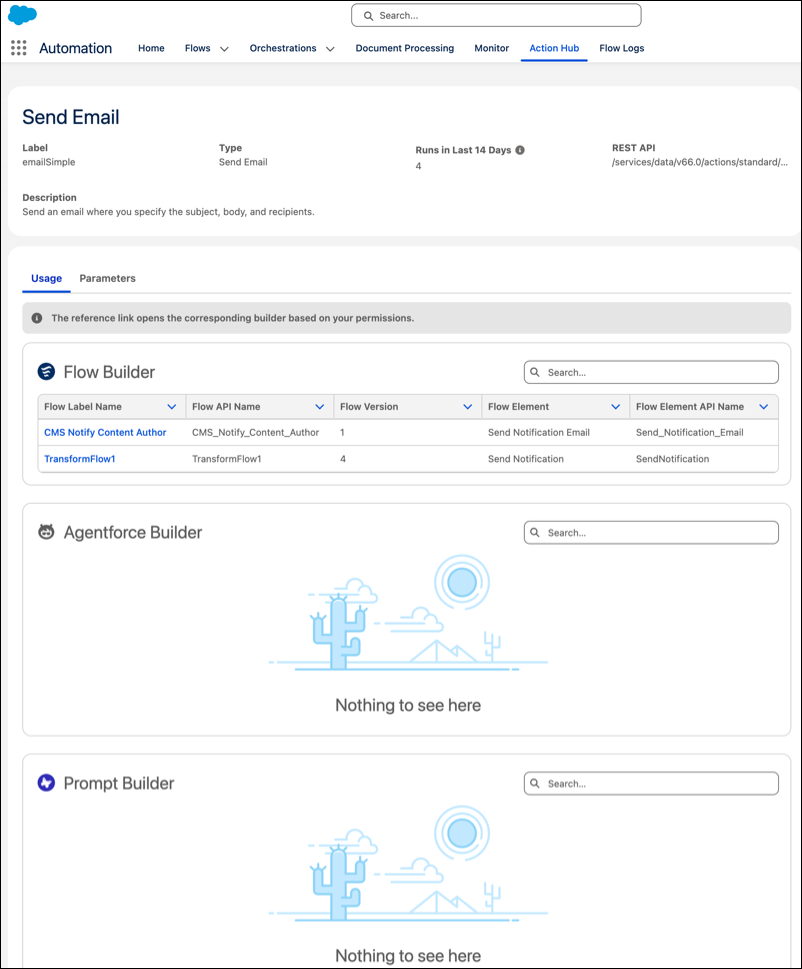
Find which Agentforce agents and prompt templates reference standard and custom invocable actions by using the Action Hub tab in the Automation Lightning app. Previously, the Action Hub tab only showed action usage across Flow Builder. Check the Usage tab to view specific agents and prompt templates that reference an action before you make changes. Track execution counts for flows, Apex, and REST invocations that use this action.
Where: This change applies to Lightning Experience in Essentials, Professional, Enterprise, Performance, Unlimited, and Developer editions.

How: From the Automation Lightning app, select the Action Hub tab. Click an action to view its detail page. The detail page includes the action's execution metrics in the last 14 days along with label, type, Rest API endpoint, and description. The Usage tab displays the list view for Agentforce Builder and Prompt Builder, in addition to Flow Builder. Click the agent label or template name listed under the Agentforce Builder or Prompt Builder tab to open the referenced item directly in its builder interface.