Find the right solutions on AgentExchange by typing your search queries using natural language. The intent-first semantic search capability understands your business goals by providing dynamic guidance as you type, to speed up your discovery process.
Where: This change applies to the AgentExchange site.
Who: This change applies to AgentExchange customers.
Why: Reduce search friction and find exactly what you need with these search capabilities:
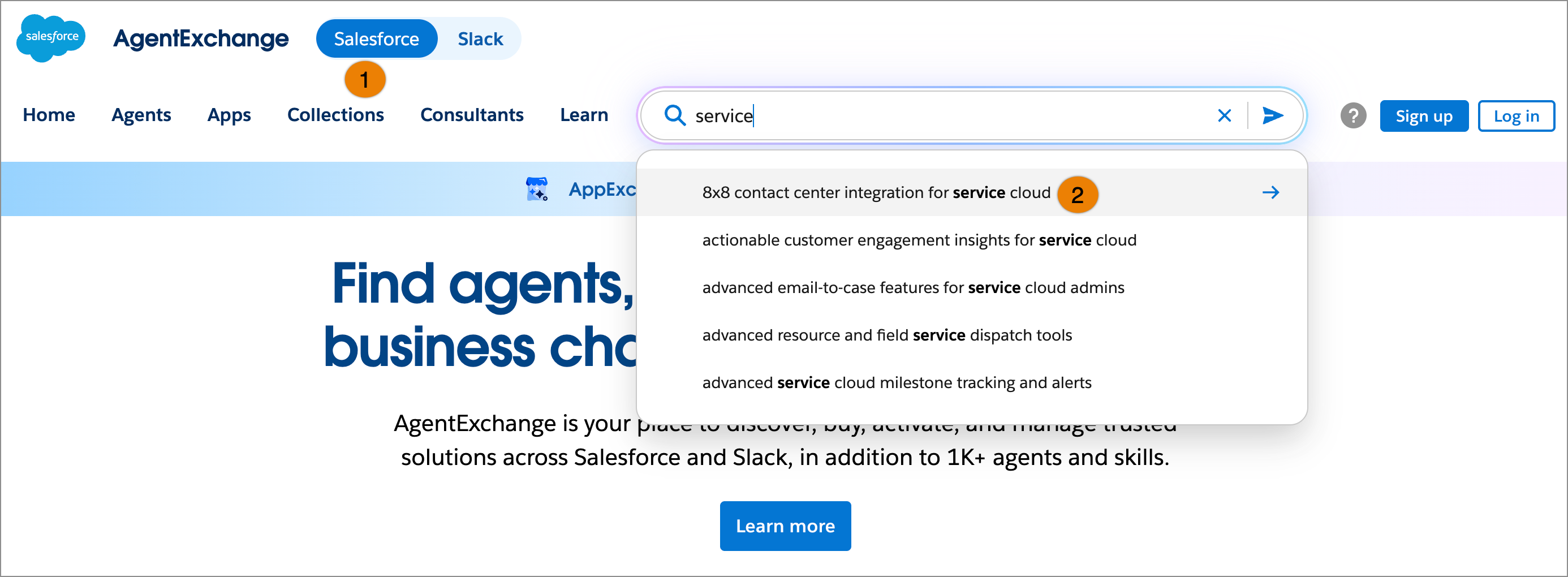
- Dynamic query suggestions appear in the search dropdown as you type.
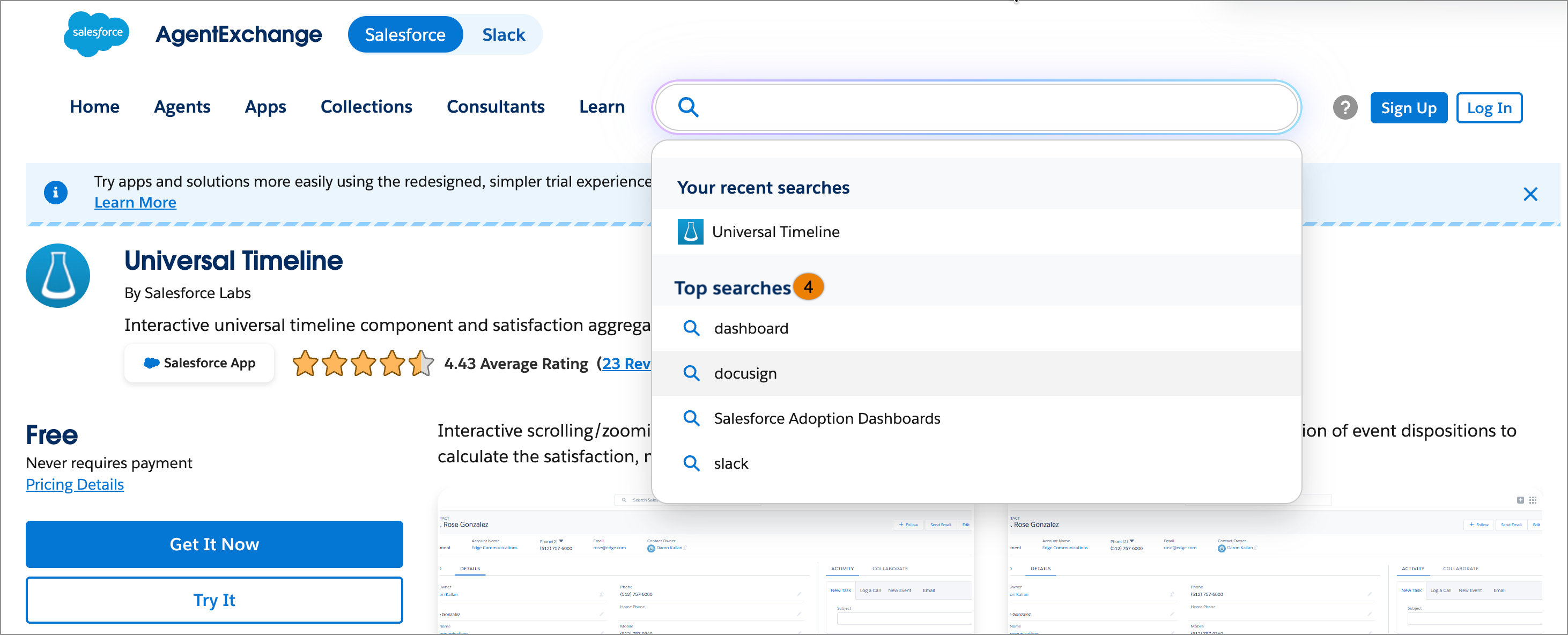
- When you click the search bar at any time, the search dropdown shows the top searches across AgentExchange alongside your recent search history.
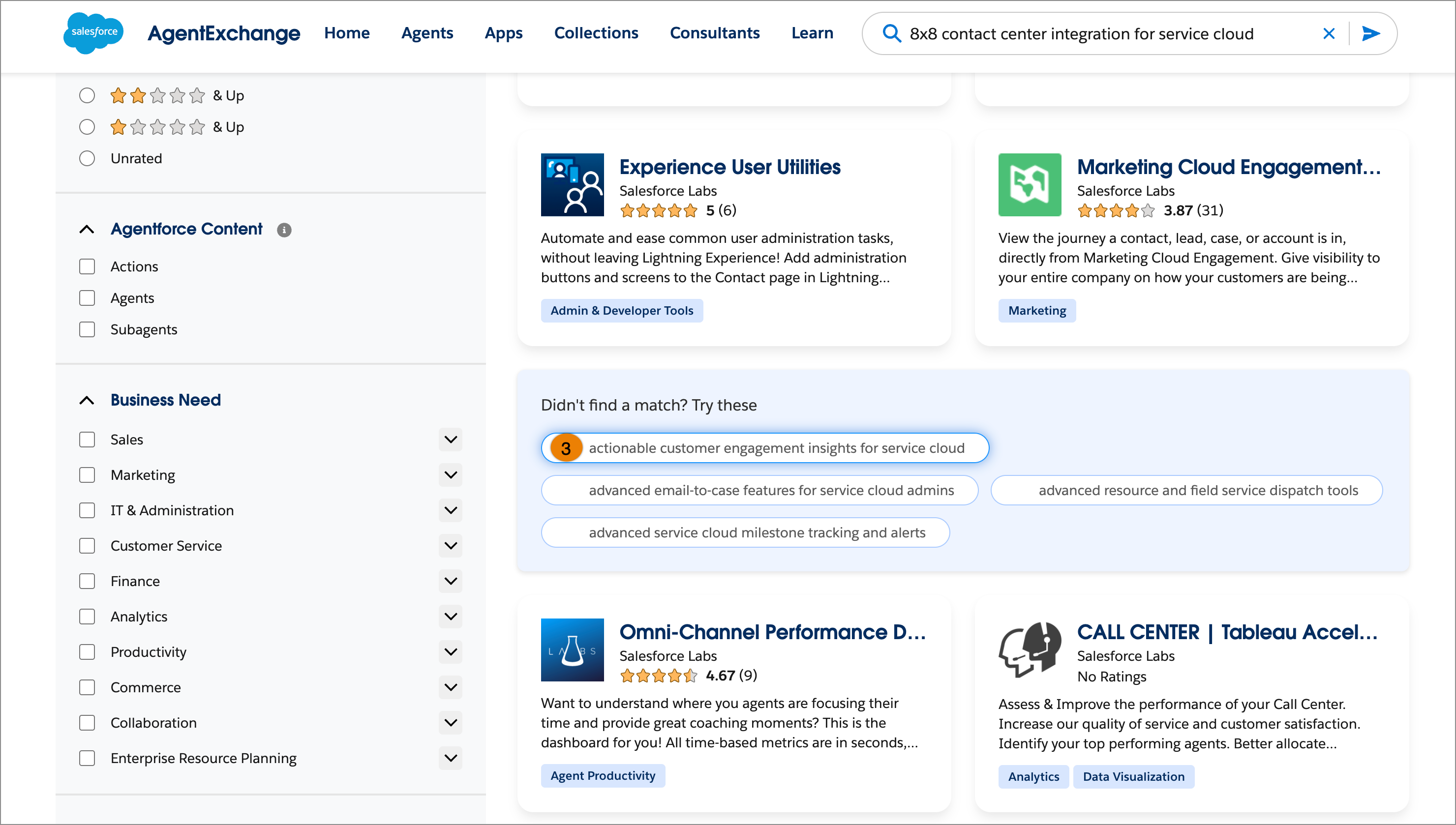
- To refine your search, the search results page shows the integrated inline query suggestions.

How: To refine your search on the AgentExchange site, turn on the Salesforce toggle (1) and type your query in the search bar. Then, select a dynamic query suggestion from the search dropdown (2).
On the search results page, use the inline query suggestions (3). When you find a matching solution, click the listing card to review its details.
Click the search bar to view your recently visited listings and the top searches (4). The Top searches section shows popular recent searches on AgentExchange.