
Build agents grounded in your unique business data with the predictability that your business demands. Now, you can use the Answer Questions with Knowledge action via an Agentforce Data Library in the new Agentforce Builder. Agents built in the new Agentforce Builder can access the knowledge you’ve added to their assigned data library, ensuring they provide the most accurate and up-to-date responses.
Where: This change applies to Lightning Experience in Enterprise, Performance, and Unlimited editions with Agentforce for Service, Agentforce for Sales, Foundations or Agentforce 1 editions. Agentforce Data Library requires Data Cloud. Intelligent Context isn’t available in Data Cloud 1 orgs.

When: This feature is available in December 2025.
How: The new Agentforce Builder makes it possible to build more complex, more reliable agents in a text editor-inspired interface.
From the App Launcher, find and select Agentforce Studio, and then click Agents. There are two steps to ground your Agents on your knowledge: 1) add a data library that contains the knowledge you want your agents to use, and 2) add the Answer Questions with Knowledge action. To add a data library to a new or existing agent, in the Explorer click Data, then select Data Library. A Data Library tab opens in the canvas and your available data libraries appear in the dropdown list. Select a data library and, to show citations, select Show sources. To create a data library, go to Agentforce Data Library in Setup.
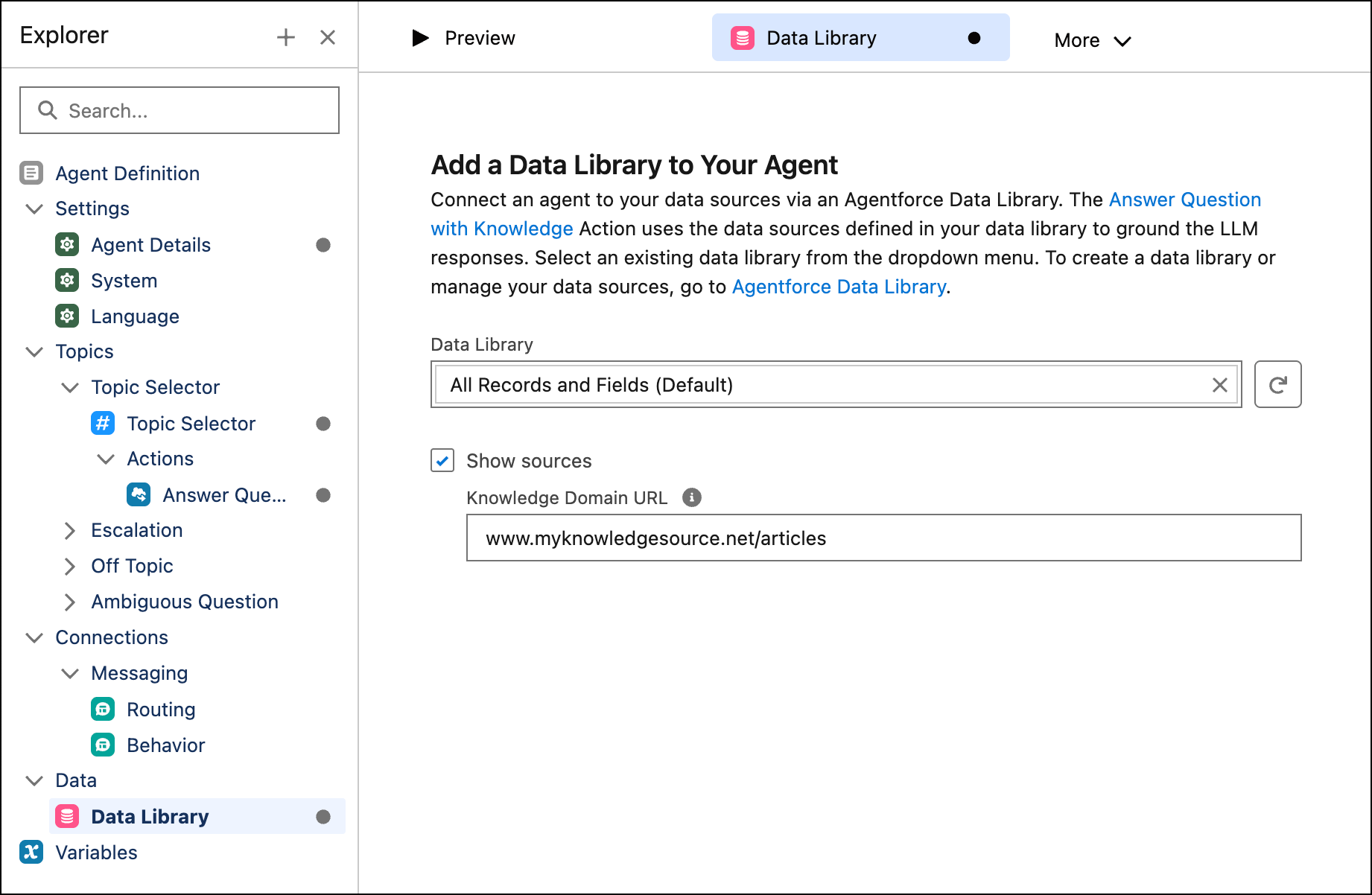
From the new Agentforce Builder, you can add and configure the Answer Questions with Knowledge action from the Asset library, and then preview your agents with live or mock data.