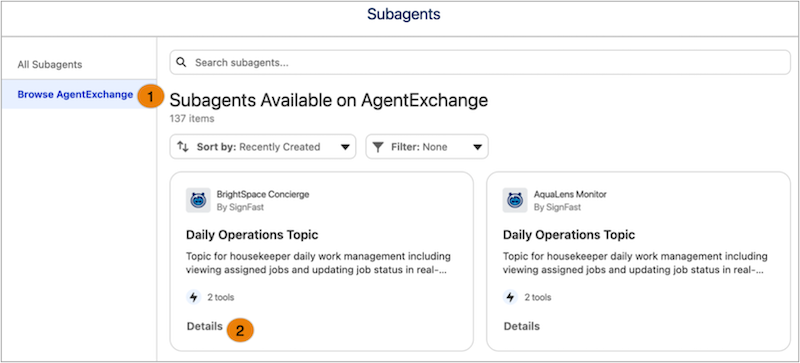
Speed up development of agents by finding prebuilt Agentforce assets such as subagents and actions, on AgentExchange. You can find an Agentforce asset and add it to an agent without leaving Agentforce Builder by browsing the AgentExchange marketplace in the Asset Library.
Where: This change is available in the Asset Library in Agentforce Builder.
Who: This change impacts Agentforce admins and developers using Agentforce Builder.
Why:
- Instead of searching by an AgentExchange package, find specific Agentforce subagents and actions on AgentExchange without leaving Agentforce Builder.
- Evaluate the Agentforce assets by reviewing their details such as the actions in a subagent, publisher details, and so on, before you proceed with the app installation.
How: To find an Agentforce asset in AgentExchange, from the App Launcher, find and select Agentforce Studio, and then open your agent. From Explorer, go to Subagents, click the + icon, and select Add from Asset Library. Browse AgentExchange (1) to find and review specific asset details (2).