---
schema_version: "1"
id: c05b25b092d95e9b2e2fe1e685758c1fe2503446167b7a89179531f39cd5177a
title: Report On and Track a Recommendation
collection: admin
version: current
locale: en-us
portal_url: https://docs.salesforce.com/admin/current/en-us/platform/264-0-0/nba_report.md
canonical_url: https://help.salesforce.com/s/articleView?id=platform.nba_report.htm&release=264.0.0&type=5
source_site: help.salesforce.com
content_type: documentation
content_hash: 3da7c5ae9520b13182794b5e90a62ec7cbe62a7a1457f357b687e1d94adad532
description: Create a custom report type to report on and track recommendation data and strategy metrics. You can see the monthly total recommendations that a Salesforce org’s strategies served. And you can analyze which recommendations are accepted and rejected, who responds to them, and more.
products:
- Flow Builder
- Salesforce Platform
release: "264"
---
# Report On and Track a Recommendation
Create a custom report type to report on and track recommendation data and strategy metrics. You can see the monthly total recommendations that a Salesforce org’s strategies served. And you can analyze which recommendations are accepted and rejected, who responds to them, and more.
### Required Editions
Modify All Data or Manage Next Best Action Strategies
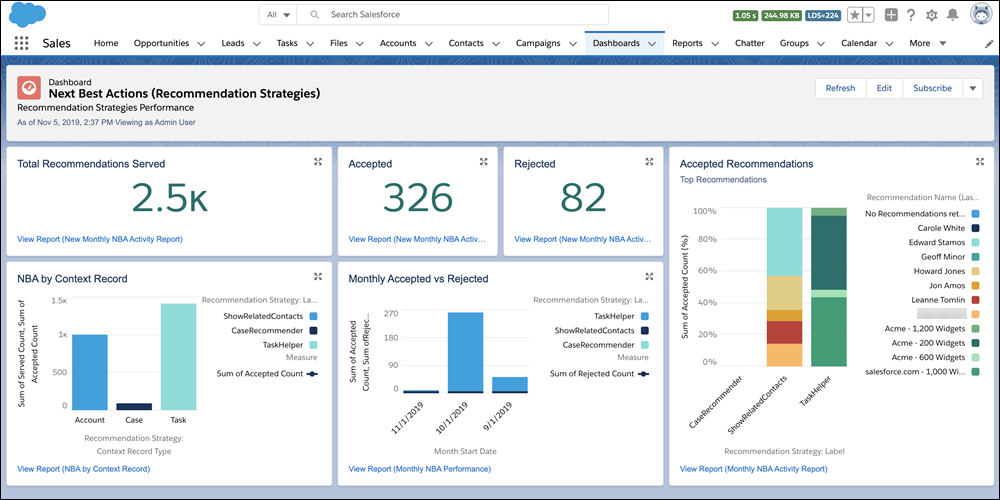
Salesforce updates recommendation strategy metrics each time a strategy is executed or a recommendation is accepted or rejected. Analyze usage metrics to better understand how your strategies are performing. Use this knowledge to improve your strategies’ logic and increase their effectiveness.
For example, run A/B tests on two different strategies and compare their relative performance. If your service agents accept more recommendations served from Strategy B, use metrics to discover why.
1. For complete instructions on creating custom report types, search for Create a Custom Report Type in Salesforce Help.
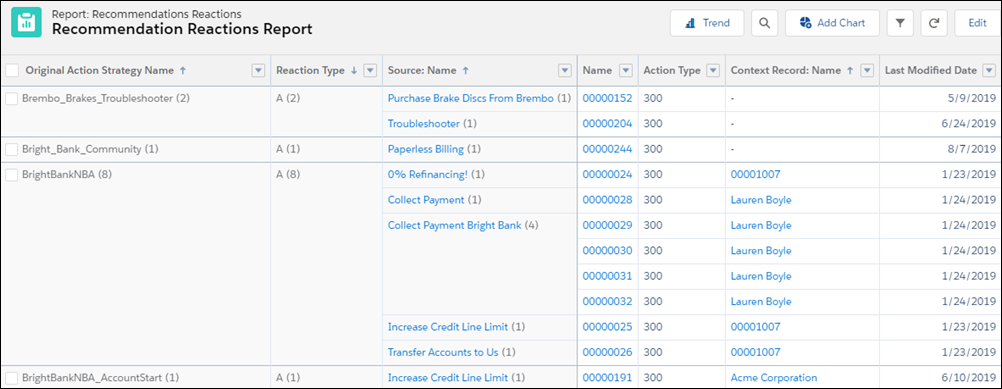
2. For strategy-level data that’s aggregated for each calendar month, use the Recommendation Strategy Metrics primary object. For recommendation-level details, use the Recommendation Reactions primary object instead.
3. Using the Recommendation Strategy Metrics primary object, combine fields from it (like Recommendation Source ID) and the related strategy (like Context Record Type). Using the Recommendation Reactions primary object, include fields to report on, such as Context Record ID, Created Date, Last Modified Date, Recommendation Score, and Source ID.
4. To analyze a strategy’s performance, group your strategy executions by recommendation source ID, and the number of times a recommendation was served, accepted, and rejected. To compare performance between two different strategies, group your strategy executions by recommendation source ID. Add useful metadata to your report, such as recommendation description and create date.
5. Deploy the report types you want to make available to users.
6. Let users know that they can create reports using these custom report types.
7. Users can also create dashboards from the custom report type.
#### See Also
- [Create a Custom Report Type](https://help.salesforce.com/s/articleView?id=xcloud.reports_defining_report_types.htm&language=en_US)
- [_Connect REST API Developer Guide:_ Recommendation Reaction](https://developer.salesforce.com/docs/atlas.en-us.chatterapi.meta/chatterapi/connect_responses_n_b_a_reaction.htm)