---
schema_version: "1"
id: 59206ad23aad234dbf905fabb75384b2036ddb2081476c1f18021e811b31295e
title: Merge Duplicate Data Privacy Records in Lightning Experience
collection: admin
version: current
locale: en-us
portal_url: https://docs.salesforce.com/admin/current/en-us/platform/264-0-0/individuals_merge_lex.md
canonical_url: https://help.salesforce.com/s/articleView?id=platform.individuals_merge_lex.htm&release=264.0.0&type=5
source_site: help.salesforce.com
content_type: documentation
content_hash: 2e6176a314074ed419f54d365b6eddbee0b97ce4302983750fe9f71b1fc7514e
description: Merge duplicate data privacy records based on the Individual object in Lightning Experience.
products:
  - Salesforce Platform
  - Security
release: "264"
---
# Merge Duplicate Data Privacy Records in Lightning Experience

Merge duplicate data privacy records based on the Individual object in Lightning Experience.

### Required Editions

<table class="slds-table slds-table_bordered slds-max-medium-table_stacked slds-m-bottom_small edition"><colgroup><col></colgroup><tbody><tr class=""><td class="slds-cell-wrap" style="vertical-align:top;">Available in: Lightning Experience</td></tr><tr class=""><td class="slds-cell-wrap" style="vertical-align:top;">Available in: all editions, including partner and customer community users.</td></tr></tbody></table>

<table class="slds-table slds-table_bordered slds-max-medium-table_stacked slds-m-bottom_small permission">
        <colgroup>
          <col style="width:50%">
          <col style="width:50%">
        </colgroup>
        <thead class="slds-text-title_caps ">
          <tr class="">
            <th scope="colgroup" class="slds-cell-wrap" colspan="2" style="text-align:center;vertical-align:top;" id="d57345e60">User
              Permissions Needed</th>
          </tr>
        </thead>
        <tbody>
          <tr class="">
            <td data-label="User Permissions Needed" class="slds-cell-wrap" style="vertical-align:top;" headers="d57345e60 ">To merge data privacy records based on the Individual
              object:</td>

            <td class="slds-cell-wrap" style="vertical-align:top;" headers="d57345e60 ">Delete on individuals</td>

          </tr>
        </tbody>
      </table>

1. Choose a data privacy record based on the Individual object. A message tells you if duplicates exist for that record. To see them, click **View Duplicates**.
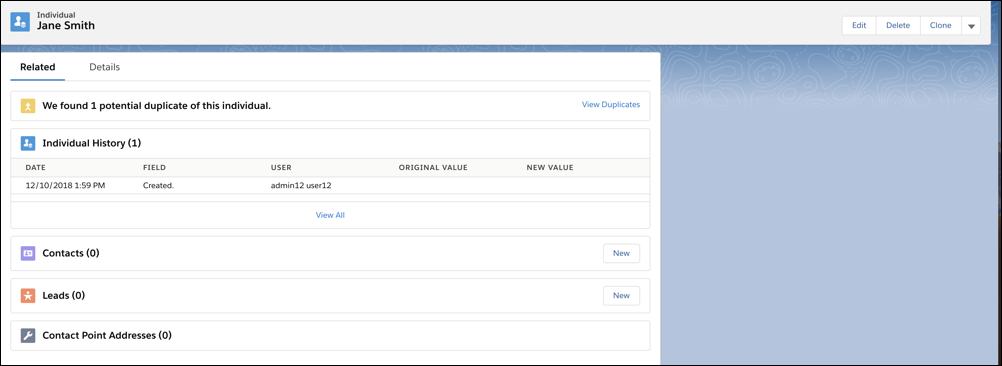
    
    ![Duplicates detected for a given data privacy record](https://sf-zdocs-cdn-prod.zoominsoftware.com/tdta-platform-extend_click-264-0-0-production-enus/5f7d9219-b7b1-4552-8891-f1aba9b289fc/extend_click/images/merge_individuals_detect.png)
2. Choose up to three data privacy records to merge. Click **Next**.
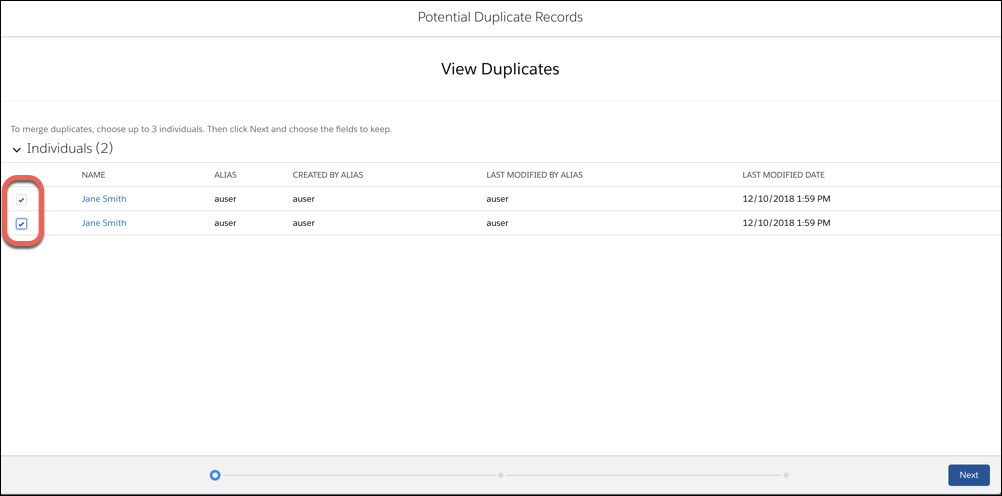
    
    ![Duplicate records, with data privacy records available to merge](https://sf-zdocs-cdn-prod.zoominsoftware.com/tdta-platform-extend_click-264-0-0-production-enus/5f7d9219-b7b1-4552-8891-f1aba9b289fc/extend_click/images/merge_individuals_view.png)
3. Choose one data privacy record as the master, and choose the field values that you want to keep. Click **Next**.
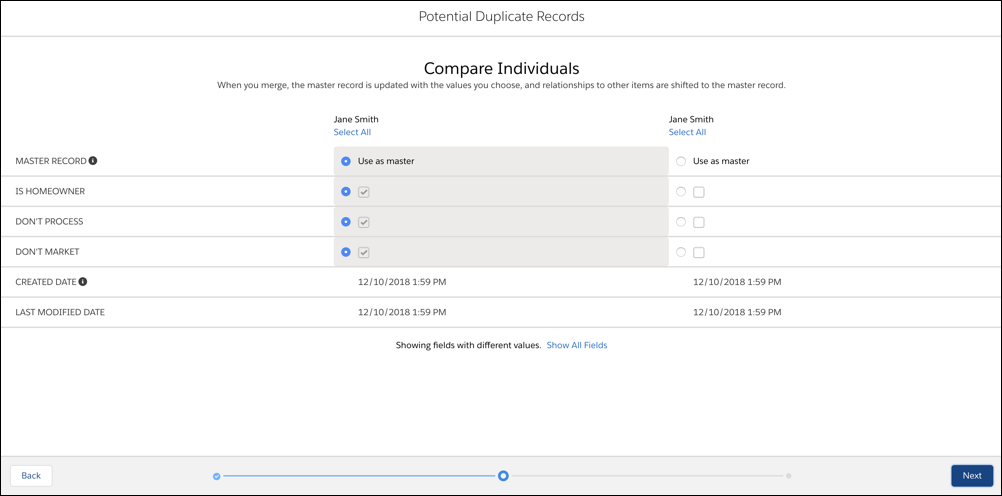
    
    ![Three potential duplicate data privacy records, with option to choose field values from each](https://sf-zdocs-cdn-prod.zoominsoftware.com/tdta-platform-extend_click-264-0-0-production-enus/5f7d9219-b7b1-4552-8891-f1aba9b289fc/extend_click/images/merge_individuals_compare.png)
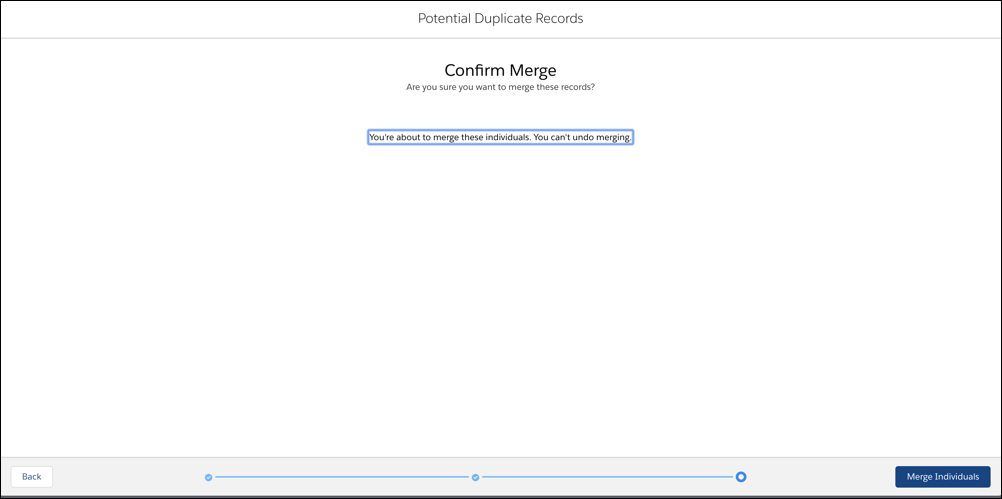
4. Confirm your choices and merge.
    
    ![Merge confirmation for data privacy records](https://sf-zdocs-cdn-prod.zoominsoftware.com/tdta-platform-extend_click-264-0-0-production-enus/5f7d9219-b7b1-4552-8891-f1aba9b289fc/extend_click/images/merge_individuals_confirm.png)