---
schema_version: "1"
id: c2b54ded39e428d49156809d293c90e84cf8ae664fe24b3dac3775eee16ad9d5
title: Test with Inbox Previews
collection: admin
version: current
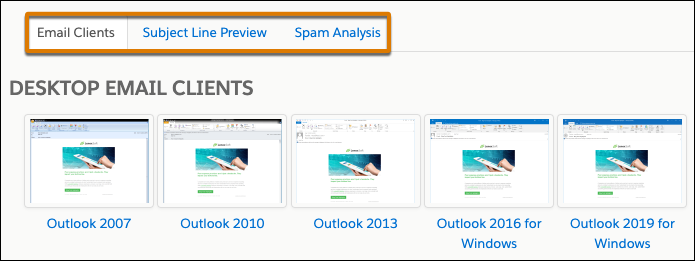
locale: en-us
portal_url: https://docs.salesforce.com/admin/current/en-us/mktg/264-0-0/mcae_classic_email_previews.md
canonical_url: https://help.salesforce.com/s/articleView?id=mktg.mcae_classic_email_previews.htm&release=264.0.0&type=5
source_site: help.salesforce.com
content_type: documentation
content_hash: 0865331cbdf981404a83435bbe91bbc1255c1d952ac1f0a4ac484f0aa596514d
description: If you’re using the Advanced Email Analytics package for Account Engagement, you have access to expanded testing tools. You can preview how your email and subject line looks in different email clients and get a spam analysis for your content. Each inbox preview render is stored for 90 days from its creation date.
products:
- Marketing
- Marketing Cloud Account Engagement
release: "264"
---
# Test with Inbox Previews
If you’re using the Advanced Email Analytics package for Account Engagement, you have access to expanded testing tools. You can preview how your email and subject line looks in different email clients and get a spam analysis for your content. Each inbox preview render is stored for 90 days from its creation date.
### Required Editions
Available in: Account Engagement Plus, Advanced, and Premium Editions
Available for an additional cost in: Account Engagement Growth Edition
User Permissions
Needed
To create, test, and send emails
Account Engagement Administrator or Marketing
role
1. Click **Account Engagement Email**, and then click **Drafts** or **Templates**.
2. For the draft email or template you want to test, open the Testing tab.
- For list email and email template drafts, click the  and select **Testing**.
- For published email templates, click the  and select **Edit**. Then, click the **Testing** tab.
3. From the Testing tab, in the Rendering Tests section, click **New Render**.
4. Wait for your render to generate. You receive an email when the render is ready.
It can take time for a render to load. While waiting, you can work on other things.
5. When your render is ready, click the link with the name of your email on the Tests page or Testing tab in the classic builder.
6. Use the tabs to view your email in different email clients, see your subject line preview, and review your spam analysis.