---
schema_version: "1"
id: b908d4c15387b7bc2b9e60e28c7a727a37b3a5cea0fcfe9c68d42288657fb678
title: Behavioral Triggers Optional Features
collection: admin
version: current
locale: en-us
portal_url: https://docs.salesforce.com/admin/current/en-us/mktg/264-0-0/mc_jb_behavioral_trigger_optional_features.md
canonical_url: https://help.salesforce.com/s/articleView?id=mktg.mc_jb_behavioral_trigger_optional_features.htm&release=264.0.0&type=5
source_site: help.salesforce.com
content_type: documentation
content_hash: 7053f235f1d16c8a49f0f5da0a9bd7755aa93c423a98e534eba265335bb88263
description: Use Behavioral Triggers to reach customers who abandon unpurchased items or services in their cart in Marketing Cloud Engagement (Einstein).
products:
- Marketing
- Marketing Cloud Engagement
release: "264"
---
# Behavioral Triggers Optional Features
Use Behavioral Triggers to reach customers who abandon unpurchased items or services in their cart in Marketing Cloud Engagement (Einstein).
### Required Editions
Available in Marketing Cloud Engagement Messaging and Journeys Pro, Corporate, and Enterprise editions.
## Horizontal vs Vertical Layout
To display product information to your customers, you can use either a horizontal or a vertical view.
Horizontal:
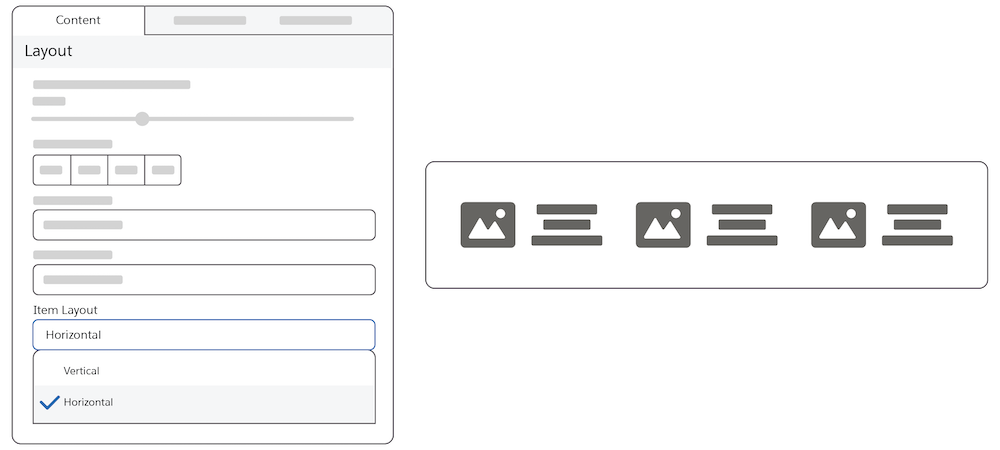
In a horizontal layout, images and text are side by side. The picture of the selected item is on the left, and the text describing the item is on the right.
Vertical:
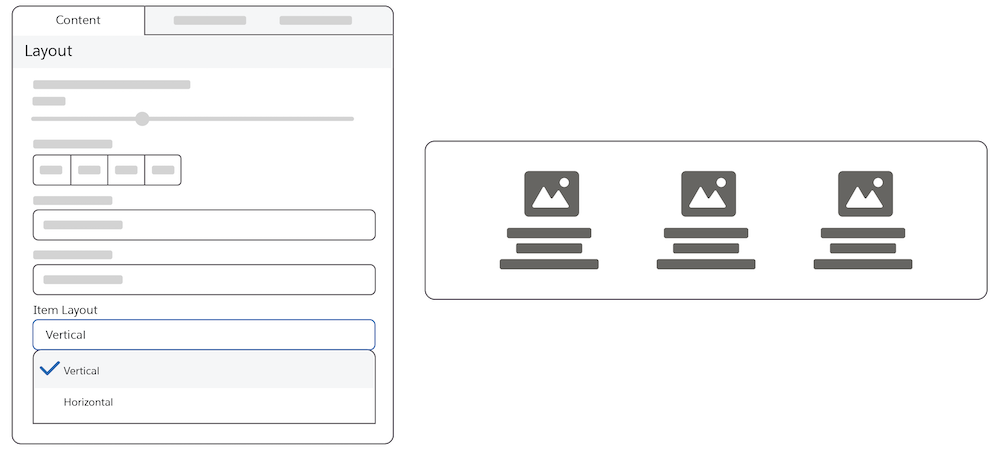
In a vertical layout, images are above the text.
## Use Current Cart Feature
This feature reflects the cart at the time the message is sent. If the user edits the cart, the message remains in its original state and isn’t updated.
If the check box isn’t selected, the message reflects the items that were originally abandoned.
## Rating Stars Feature
Select the rating field in the catalog so that your customers can use the rating stars feature. Customers can rate products on a scale of four to ten. And they can view the products sorted by their ratings from lowest to highest or highest to lowest. Marketers can show a product's average rating. The product catalog must contain this information. To build the rating visualization, indicate the maximum rating value.
## Styling Tab
- Customers can change the color of the actual stars from the specified class.
## How to Use Reference Data
AMPscript variables contain data about items in the original cart initialized for example item\_\_
If the user has an updated cart, the updated cart is stored in the field, for example @cart\_\_