The Customer Acquisition Management application is hosted on a digital experience site. Learn how to access the reference site and explore its basic functionality.
-
Access the digital experience site.
- Log in to your org and click Setup
- In Quick Find, enter All Sites and click All Sites under Digital Experiences.
- In the All Sites list, copy the URL displayed for VEE Digital Sales.
- Open a new browser window and paste the URL.
- Provide your VEE Digital Sales login information.
- Click Get Personalized Quote.
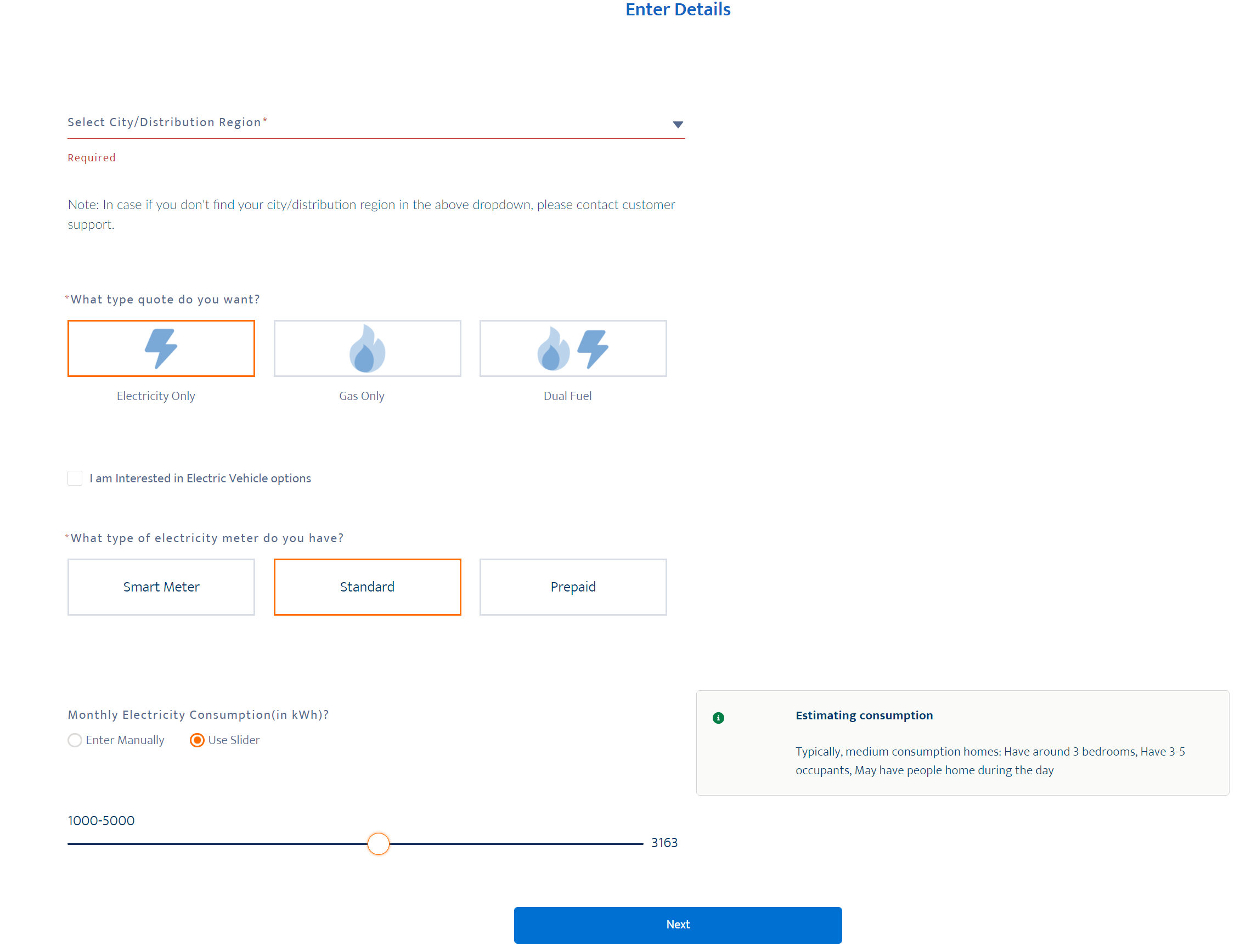
- On the Enter Details page, select the distribution region from the drop-down.
-
Select the service for which you want to generate the quote. You can
choose from:
-
Electricity Only
-
Gas Only
-
Duel Fuel
-
-
Select the applicable meter type:
-
Standard
-
Smart Meter
-
Prepaid
-
- Enter the monthly consumption of the selected service. You can enter the consumption value either manually, or using the slider. Based on the value entered, the information box displays whether the consumption value falls in the low, medium, or high bracket.
- Click Next.
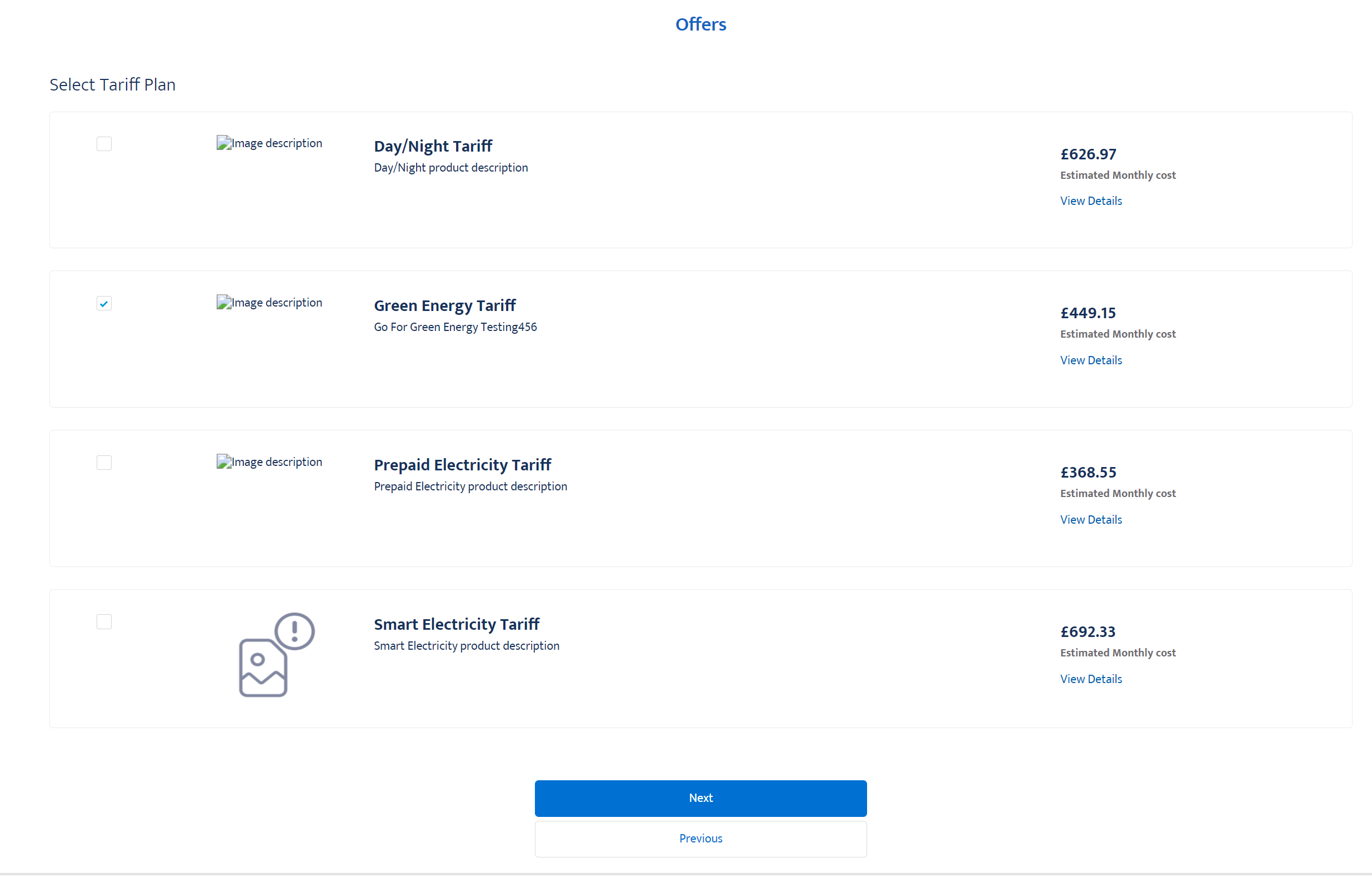
- Select the commodity product offer that suits your needs. You have to select at least one product offer. Click View Details to see more details about a specific product.
- Click Next
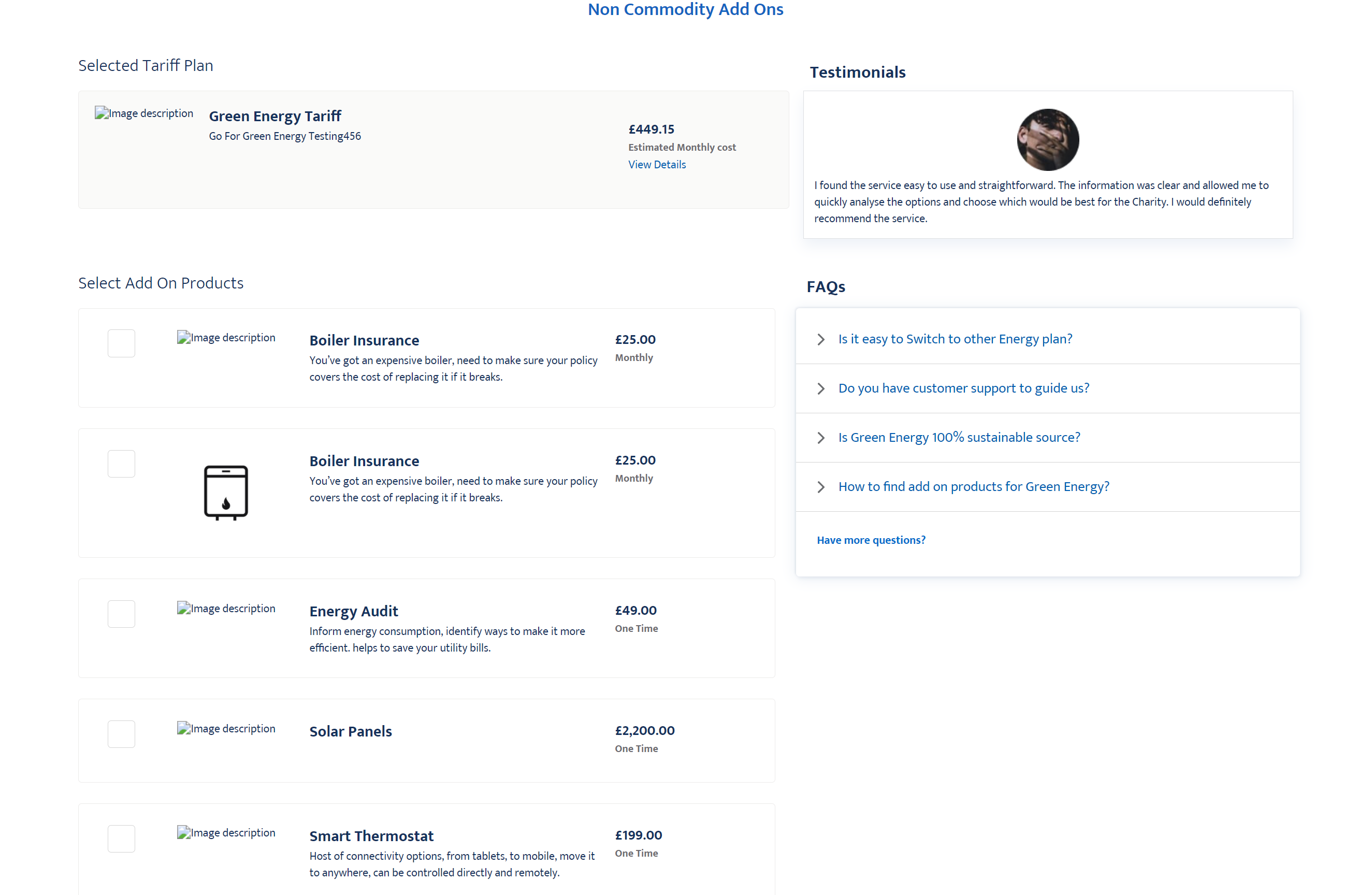
- Select the non-commodity products. You can select zero or more non-commodity products.
- Click Next.
- Enter your enrollment details such as name, address, contact details, and contact preferences. Cart Summary displays the summary of the commodity and non-commodity products selected along with pricing details.
-
Click Create Account.
A confirmation screen with the Request Reference Number is displayed.