
Download Large Account Sales Management datapacks from static resources, and save them to your computer.
For orgs that use Standard OmniStudio Content and Runtime, download the following datapacks:
- EUC_LASM_OSRT_Vlocity_Datapacks: Includes the vlocity datapacks (Flexcards, Omniscripts, IPs, DRs)
- EUC_LASM_OSRT_Sfdx_Datapacks: This includes salesforce metadata components required to setup the LASM app. This datapack is has a known issue. See W-16582147.
-
EUC_CAM_EPC_Datapacks: This includes EPC data.
For orgs that use Standard OmniStudio Content, download the following datapacks:
- EUC_LASM_Vlocity_Datapacks: Includes the vlocity datapacks (Flexcards, Omniscripts, IPs, DRs)
- EUC_LASM_Sfdx_Datapacks: This includes salesforce metadata components required to setup the LASM app.
-
EUC_CAM_EPC_Datapacks: This includes EPC data.
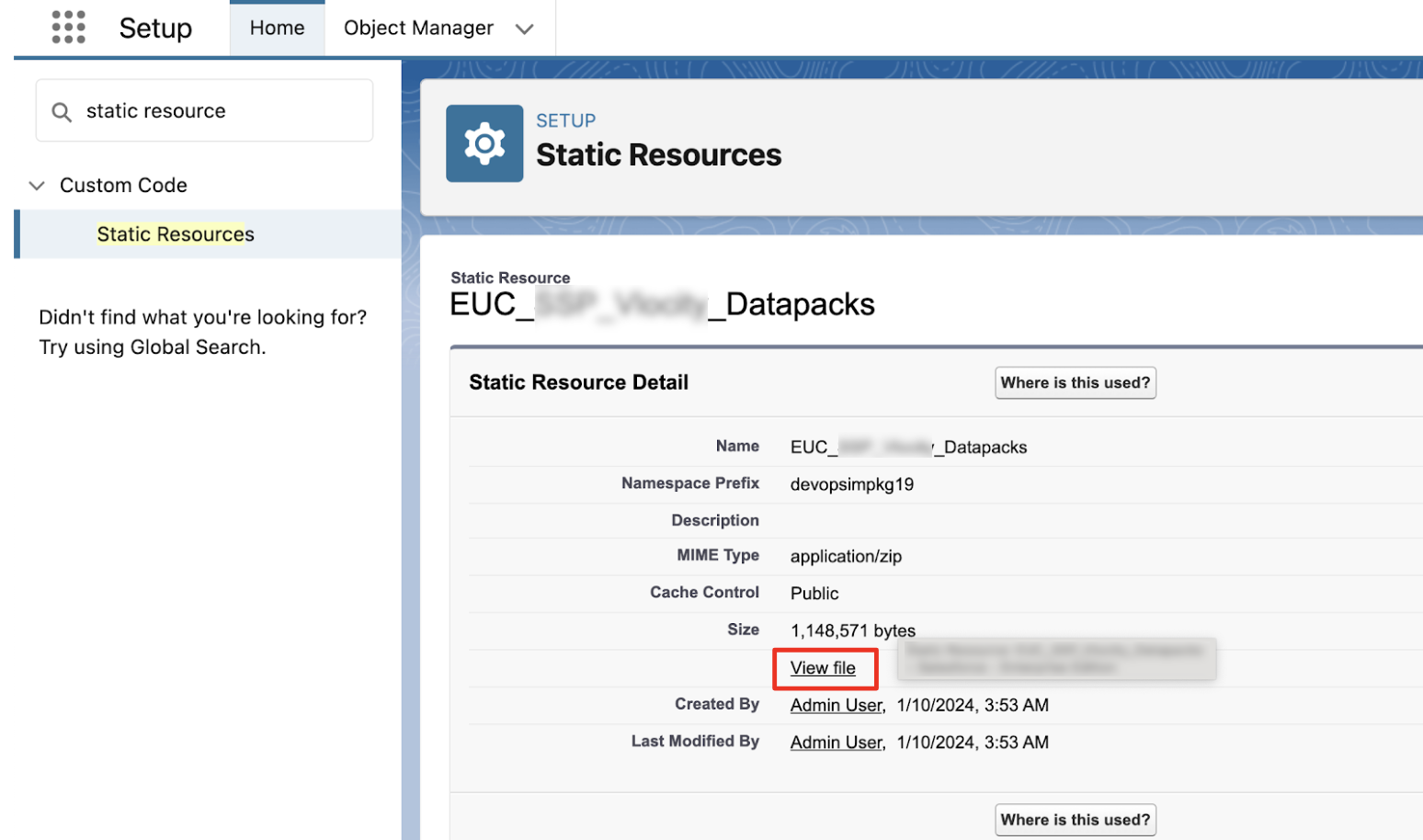
- From Setup, in the Quick Find box, enter Static Resources, and then select Static Resources.
-
Select a static resource, and then click
View File to
download.
- Wait for the file to finish downloading before moving to the next datapack file.