
When you configure the Decompose Sales Transaction and Orchestrate Sales Transaction invocable actions in a synchronous request, the flow executes the actions sequentially.
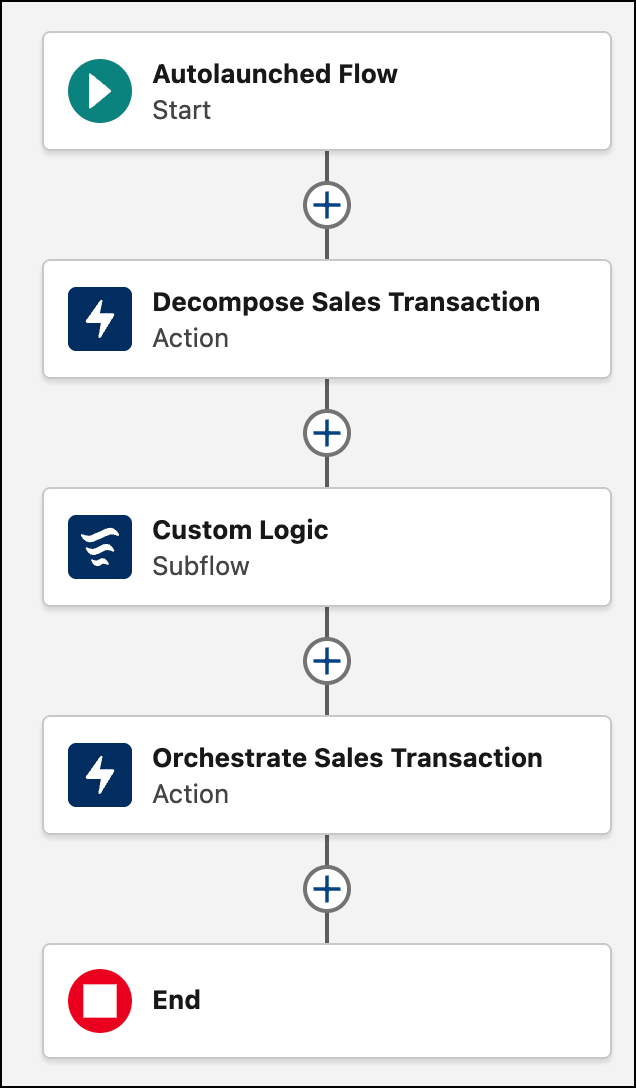
- Create a Autolaunched Flow (No Trigger).
- Add the Decompose Sales Transaction invocable action to the flow.
-
Set intakeRequestType to
Synchronous. - Add custom logic such as decision steps to check the status or subflows to run external validations.
- Add the Orchestrate Sales Transaction invocable action to the flow.
-
Set intakeRequestType to
Synchronous. - Save and activate the flow.