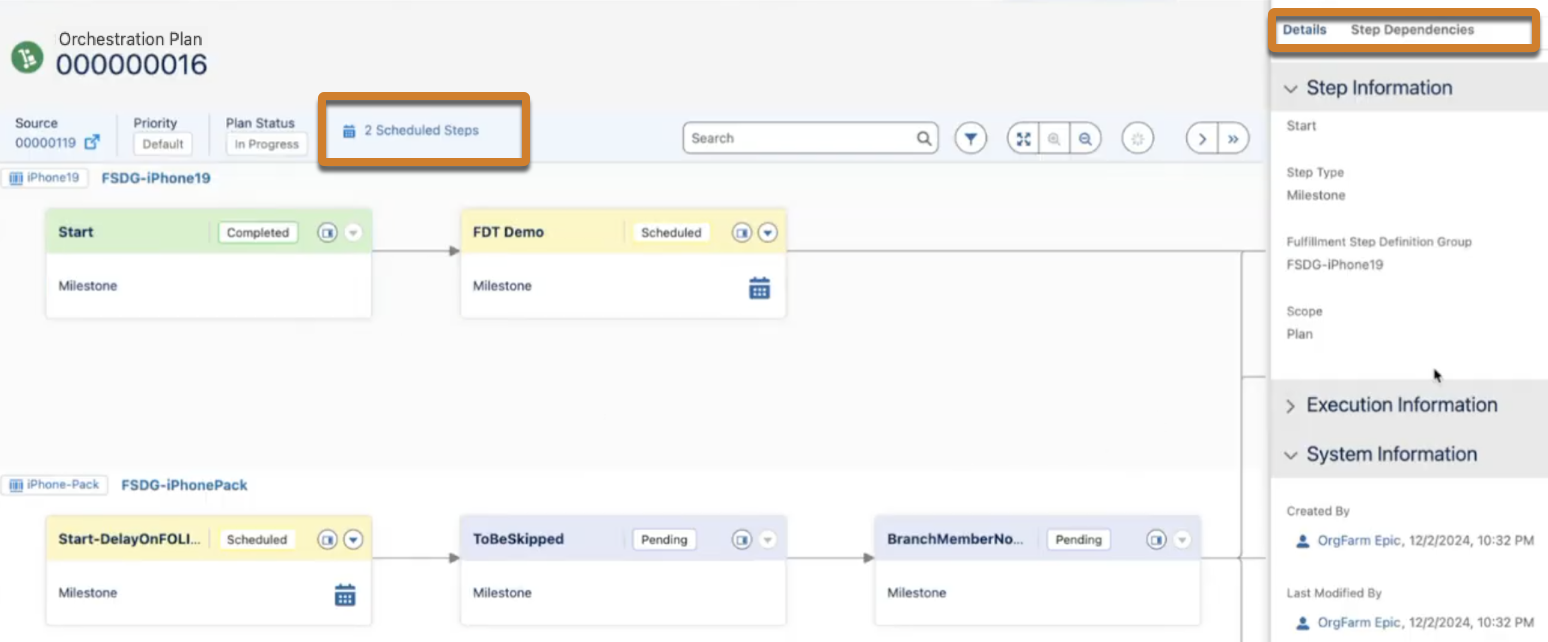
After you submit the order to DRO, go to Fulfillment Lines and select View Fulfillment Plan to view the step status, details, and dependencies.
The scheduled steps are highlighted in yellow and the  icon appears next to the scheduled steps. When you hover over this icon, you can view
details such as the expected start time, execution criteria, and delay.
icon appears next to the scheduled steps. When you hover over this icon, you can view
details such as the expected start time, execution criteria, and delay.
You can also view the total number of steps cheduled in the header. This number is updated when each step progresses to the completed state.
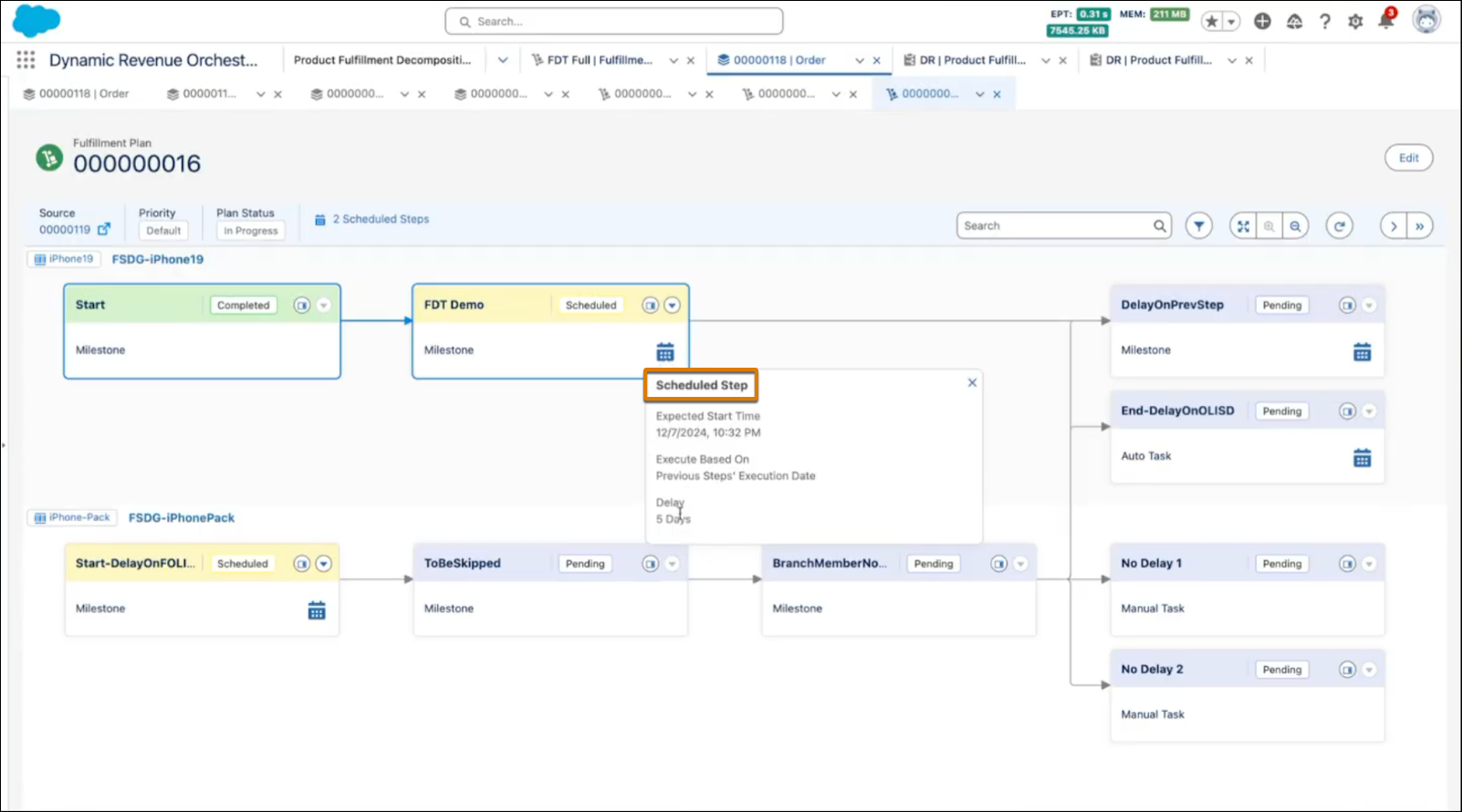
Click the  icon on a step to view the details of the step.
- On the Details tab, you can view:
- General information about the step.
- Execution information such as the actual start date and completion date of the step.
- System information such as the details of the user who created and modified the step.
- On the Step Dependencies tab, you can view the dependencies related to the step.