---
schema_version: "1"
id: 29a3ee1db7985d347508ed42607d0d03bc1afd6f2be200e933665bdb5d6aa884
title: Requirements for Creating Orchestration Plan Context Mapping
collection: admin
version: current
locale: en-us
portal_url: https://docs.salesforce.com/admin/current/en-us/ind/264-0-0/dro_orchestrate_non_sales_transaction_mapping.md
canonical_url: https://help.salesforce.com/s/articleView?id=ind.dro_orchestrate_non_sales_transaction_mapping.htm&release=264.0.0&type=5
source_site: help.salesforce.com
content_type: documentation
content_hash: 500dc471541388274fa0bfff7bde66dc46cc0cf025c2b9d8e2b4e13e0fe9a217
description: Create an orchestration plan context mapping entry to connect the business data in an object to the orchestration logic within Dynamic Revenue Orchestrator (DRO) by using the orchestration type. DRO includes the Generic orchestration type to orchestrate non-sales transaction objects.
products:
- Revenue Cloud
release: "264"
---
# Requirements for Creating Orchestration Plan Context Mapping
Create an orchestration plan context mapping entry to connect the business data in an object to the orchestration logic within Dynamic Revenue Orchestrator (DRO) by using the orchestration type. DRO includes the Generic orchestration type to orchestrate non-sales transaction objects.
### Required Editions
Available in: Enterprise, Unlimited, and Developer Editions
User Permissions Needed
To create the custom context definition:
DRO Admin User
Keep these considerations in mind when creating a mapping.
- Create one mapping entry for a specific object for DRO to orchestrate.
- Map an orchestration type to only one context definition to maintain an exclusive relationship between the orchestration process and its logic.
- Use the same orchestration type while creating the mapping as the usage type of the orchestration components.
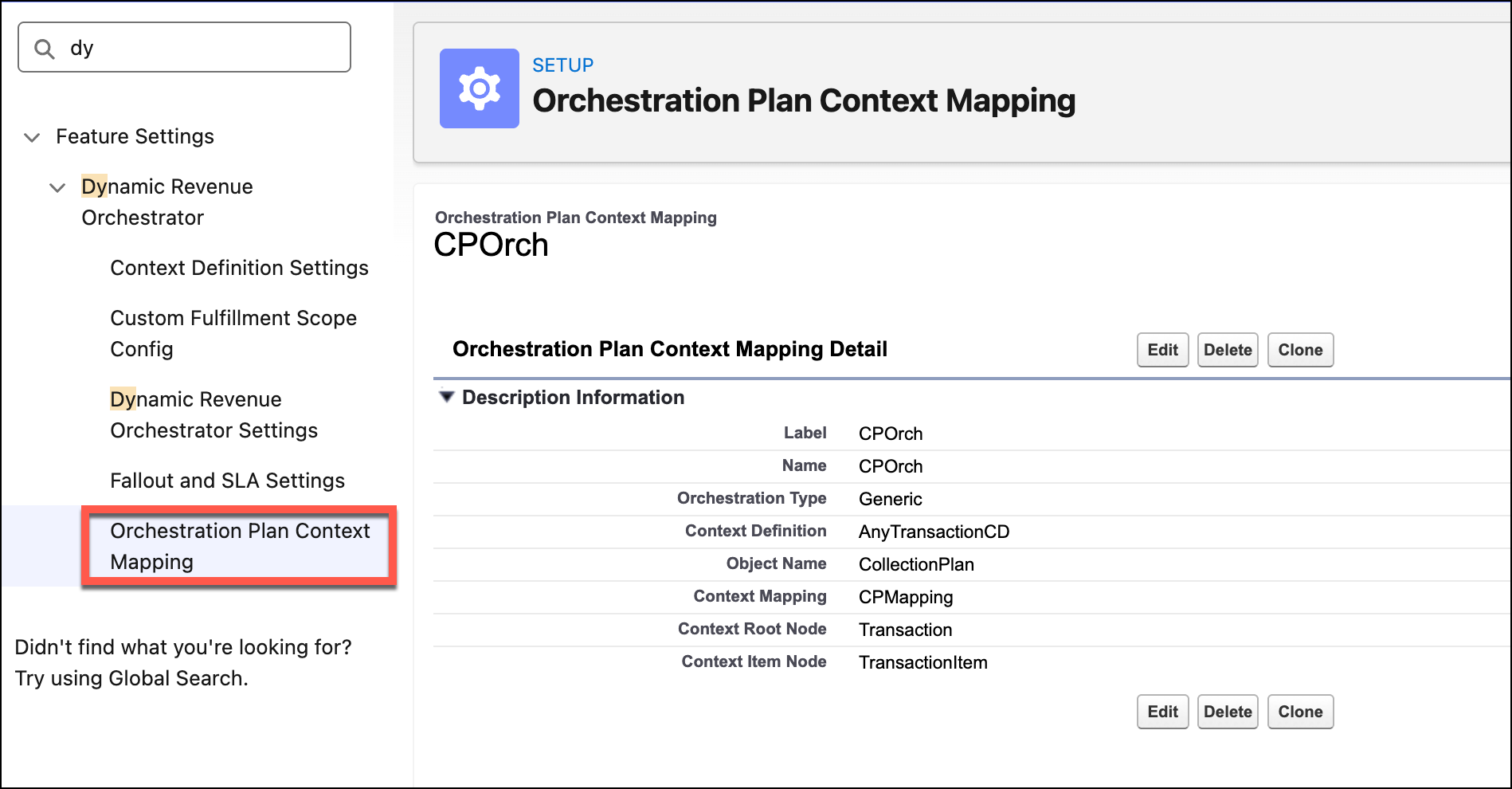
Create the Orchestration Plan Context Mapping entry using these fields:
| FIELD NAME | REQUIREMENT | DESCRIPTION |
| --- | --- | --- |
| Object Name | Mandatory | The API name of the object for orchestration. |
| Context Definition | Mandatory | The context definition to be used for the object. |
| Context Mapping | Mandatory | The name of the context mapping to apply. |
| Root Node Name | Mandatory | The node name that represents the root in the context definition. |
| Item Node Name | Optional | The node name that represents an item in the context definition. |
| Orchestration Type | Mandatory | Select `Generic` orchestration type. |