
Read data from a context definition into Data Processing Engine definitions to transform and pass it for downstream processing.
Required Editions
| View supported editions. |
| User Permissions Needed | |
|---|---|
| Create and save definitions | View permissions information. |
| To run definitions on-demand: | Run Data Processing Engine Definitions On Demand |
| To configure a context definition as a data source | Context Service Admin |
Considerations
- When you launch DPE builder from Context Service, the Data Source and Data Source Subtype nodes are preconfigured automatically based on the selected context definition.
- DPE prepopulates aliases from their corresponding field names and doesn’t support double underscores in aliases. If your context definition field names include double underscores, DPE automatically converts them to single underscores in the alias field.
Prerequisite
Context definition and mapping must exist and be active.
Steps to configure a context definition as a data source:
- In the DPE builder, click New Node, provide the node details, and select node type as Data Source.
- In Configuration, set Source Type as Context.
- For Source Object, select the context definition.
-
Provide a context instance identifier, or use an input variable to provide the identifier during
runtime.
 Note The input variable must be of the type Context Instance Identifier.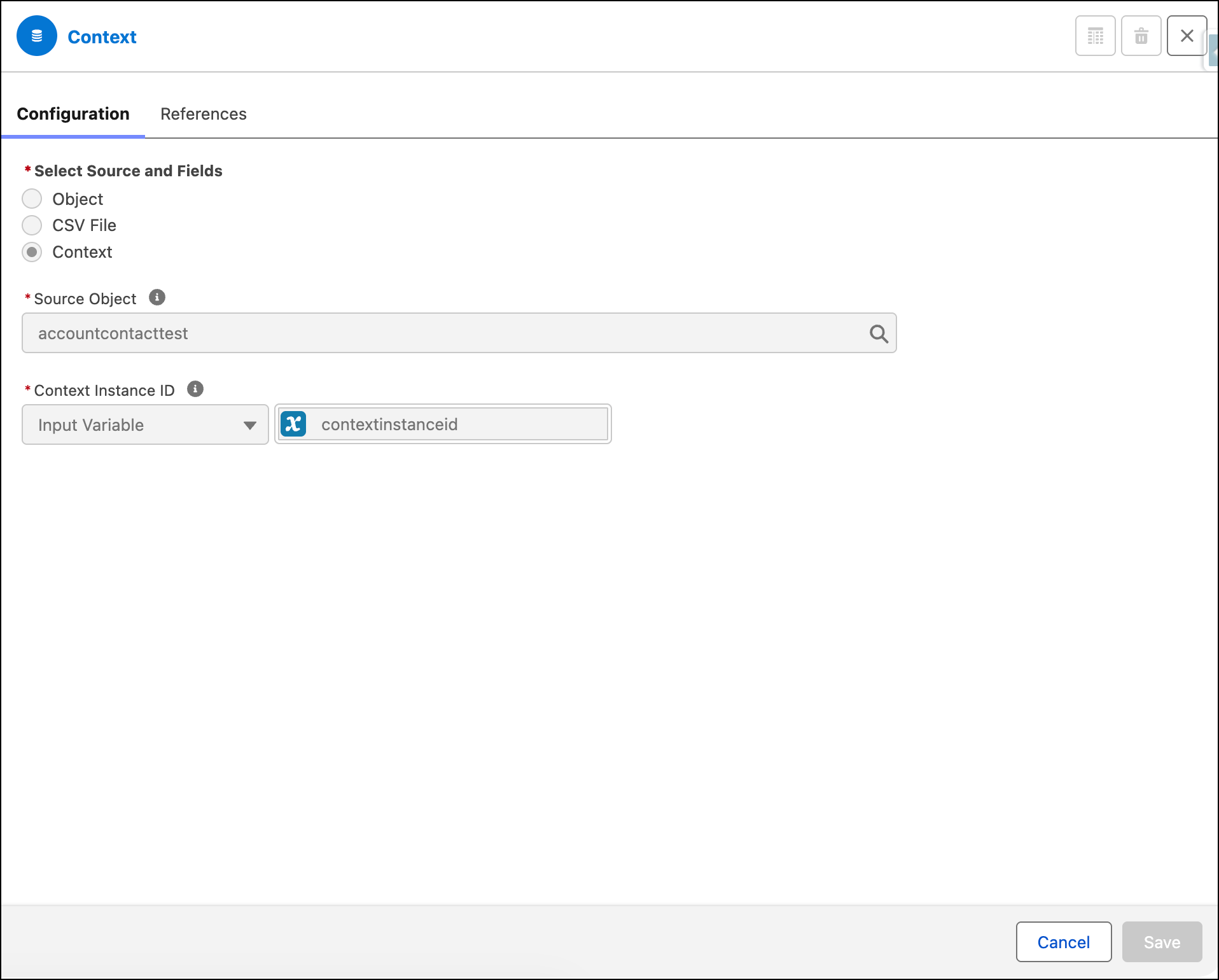
- Save the node configuration.
-
Create a Data Source Subtype node for each node in the context definition.
- Click New Node.
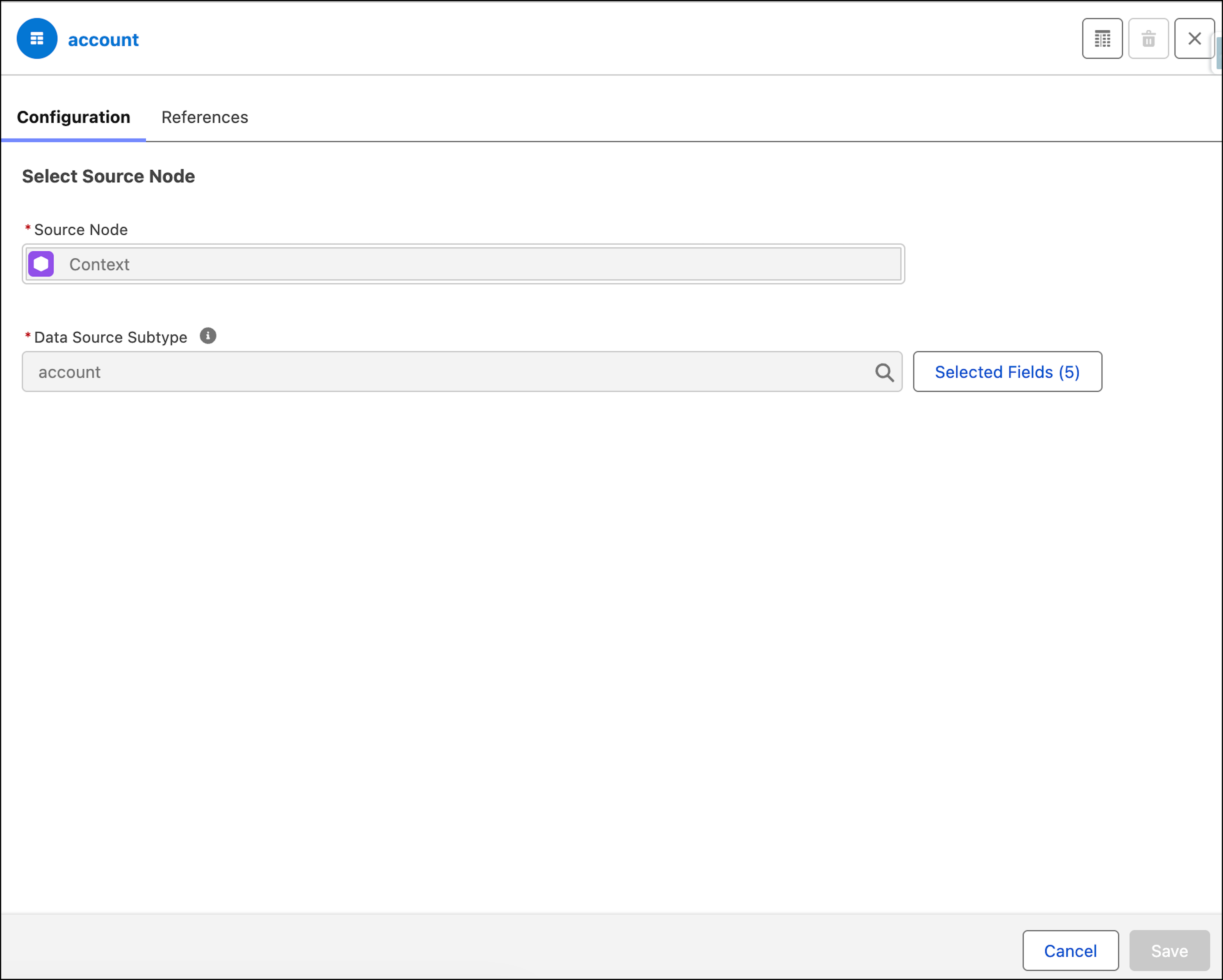
- Provide the node details and select the node type as Data Source Subtype.
- In Configuration, for Source Node, select the context data source.
- For Subtype, select the context node.
- Click Select Fields and choose required fields. Aliases auto-populate and are used by downstream nodes.
- Save your node configuration.
Perform the needed transformations on the subtype nodes except for forecasting and statistical functions, such as variance and standard deviations. See Add Transformation Nodes to Your Definition for more details.