Configure the print layout of PDF reports and print engine settings in Visual Studio
Code-based Modeler. The Consumer Goods offline mobile app framework uses these settings to
generate PDF reports. Sales reps and sales managers use PDF reports to share important sales
information.
Required Editions
| Available in: Professional, Enterprise, and Unlimited Editions
that have Consumer Goods Cloud enabled |
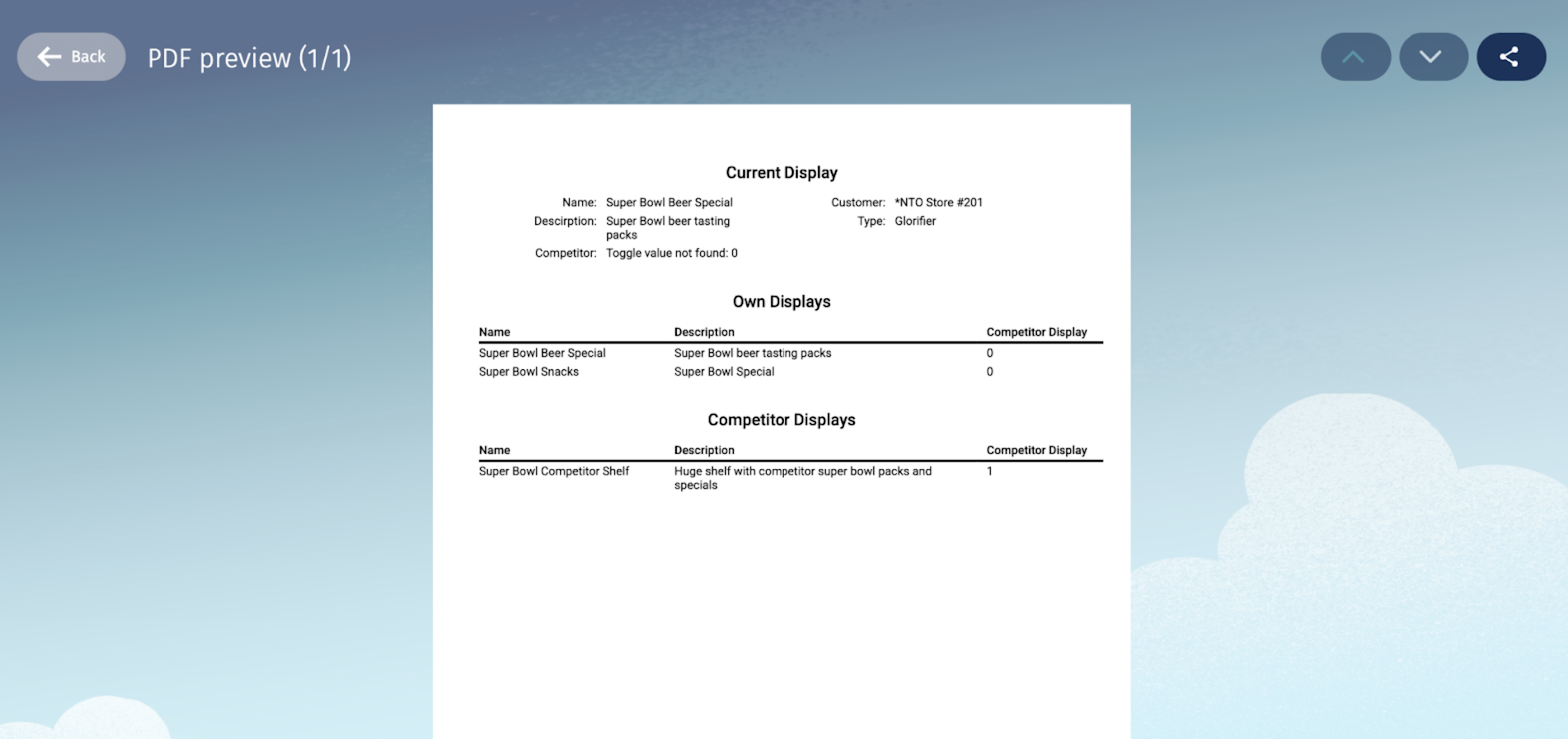
On the Displays custom card, you can use PDF reports to share information such as:
- Overview of current product displays at a store
- List of the manufacturer’s product displays
- List of the competitors’ product displays
To trigger and generate PDF reports in the CG Cloud offline mobile app:
- Create a PrintLayoutV2 contract in Modeler.
- Add a menu and a menu item to generate a PDF report.
- Implement the process adaptations for print action.
To create the layout for a store display PDF report:
- Create a table that lists the current product displays in a store.
- Create filtered lists to show the manufacturer’s and competitors’ product displays in a
store.
The generated PDF report shows the Current Display table and the Own Displays and Competitor
Displays filtered lists.