
When you purchase Communications, Media or Energy Cloud licenses, permission set licenses are automatically provisioned in your org. If you purchased Communications, Media or Energy Cloud before 17 May, 2022, you can continue to use your existing managed package licenses. In order to confirm if your org is using Permission Set Licenses please follow the steps below.
You can use Permission Set License Reference to calculate the number of permission set licenses that you own based on your purchases.
To view the permission set licenses in your org.
- From Setup, in the Quick Find box, enter Company Information, and then select Company Information.
-
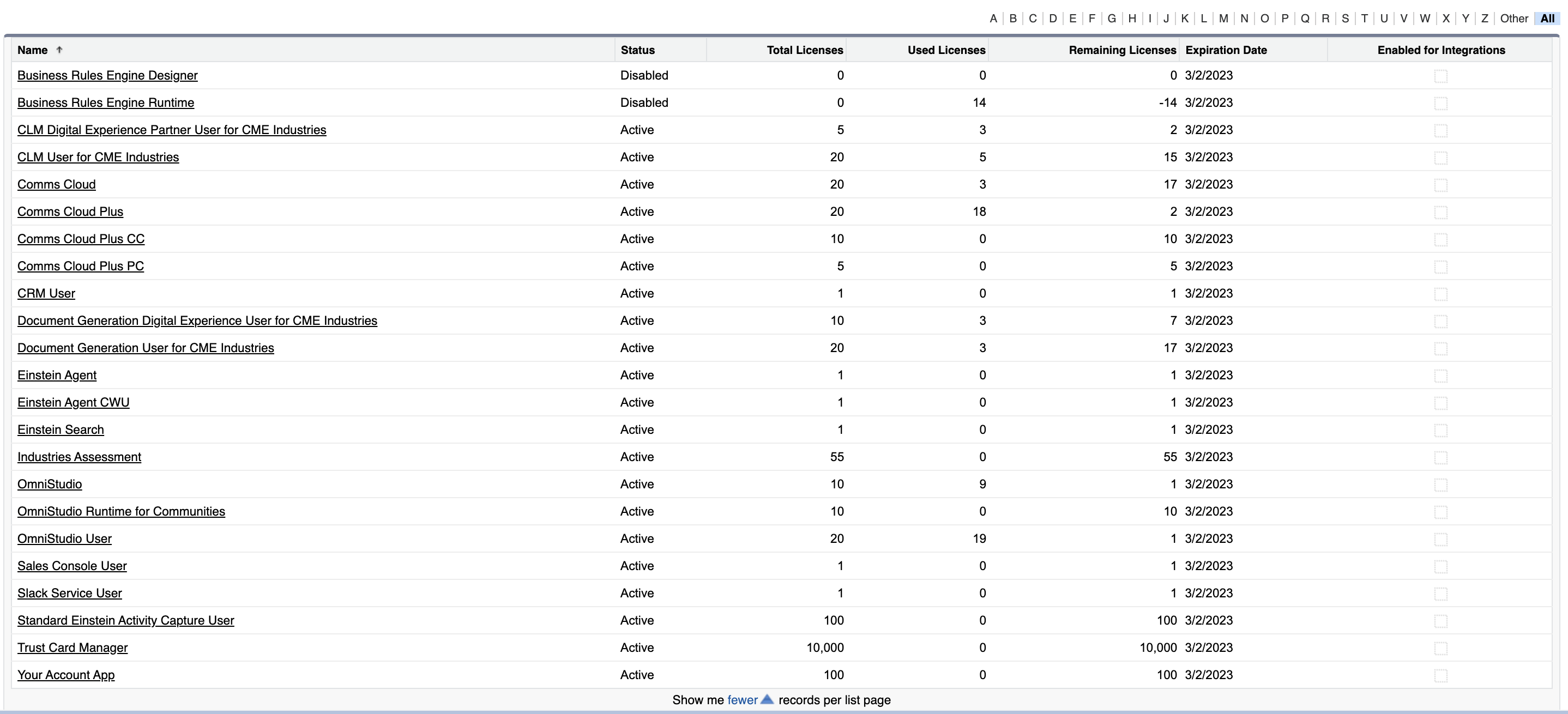
In the Permission Set Licenses section, click Go to list.
Salesforce displays a list of all the permission set licenses provisioned in your org.
- You can also optionally create custom views for permission sets based on filters. For more information, see Use Permission Set Lists.