
Prepaid subscribers can use a voucher code to top up the cash balance in their prepaid account. Subscribers can launch a top-up workflow either from their home page or from a subscription details page. When this workflow is launched from the home page and there are multiple subscriptions in the account, subscribers can select the phone number for which they want to perform the top up.
 This feature is part of the Communications Cloud managed package.
The following diagram shows the process to top up through voucher.
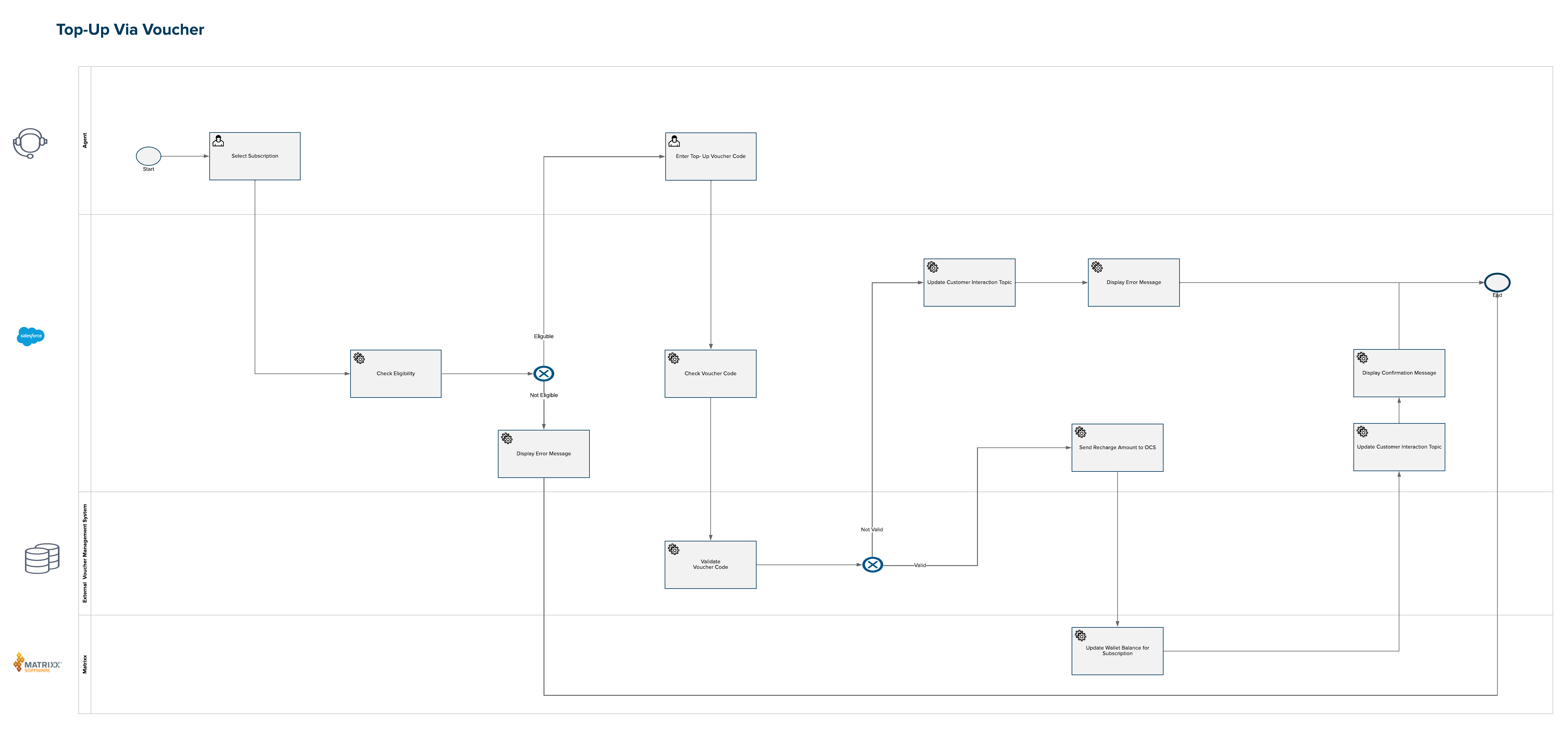
To top up a subscription using a voucher code:
- On the home page, click Voucher top up.
- Select the phone number for which you want to perform the top up.
- Enter the voucher code. To test this workflow, enter any string starting with VLC.
-
Click Next.
If a valid voucher code is entered, the cash balance is incremented.
- Click Back to home to exit the workflow.