
This workflow enables agents to increase the cash balance available to a subscriber. A subscriber can top up the balance for their own subscription or for another subscription. A top-up amount of USD 10 or USD 20 is available by default.
 This feature is part of the Communications Cloud managed package.
The following diagram shows the product structure for the Top-up with Voucher process. After an agent selects a subscription, its eligibility is confirmed, and they enter the voucher code. After the code is validated, the amount is sent to the online charging system (OCS), the subscription balance is updated, and a confirmation message is displayed.
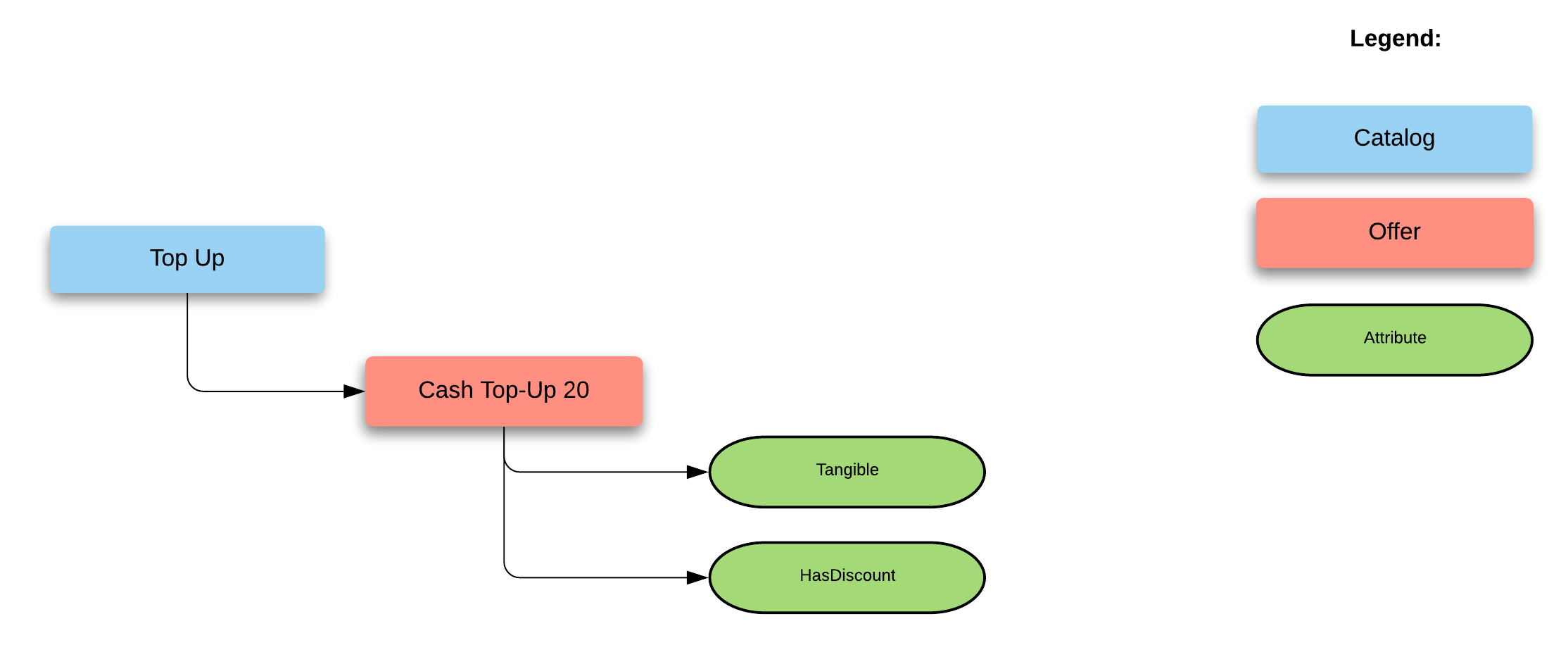
The following diagram shows the process to top up cash balance.
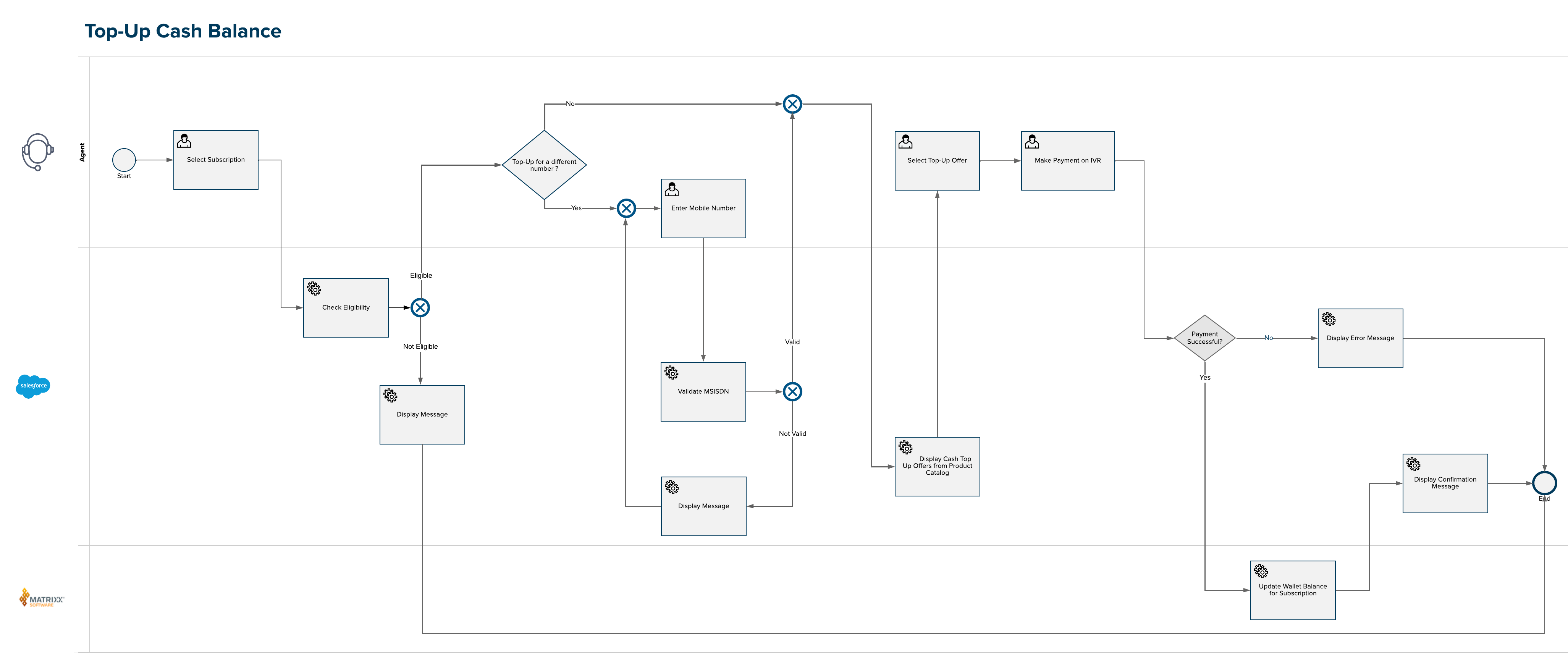
- Use Interaction Launcher to verify a subscriber and start a customer interaction.
- For the requested service, click Cash top up.
- Select the requested top-up amount.
- This workflow assumes that payment is made over IVR. If payment is successful, click Yes and then click Next.
- The top-up details are displayed. Click Close to exit the workflow.