Create the XOMAutoTaskCopyAttributes auto task, and add it to an orchestration plan definition, to send attribute values to a fulfillment request line.
Before You Begin
Create a DataRaptor bundle that accepts input from, and delivers output the XOMAutoTaskCopyAttribute auto task. See Configure a DataRaptor Bundle to Work with the XOMAutoTaskCopyAttributes Auto Task
- Open the orchestration plan definition that you want to contain the auto task.
- Click the Related tab, then in the Orchestration Item Definition row, click New.
- Click Auto Task, then click Next.
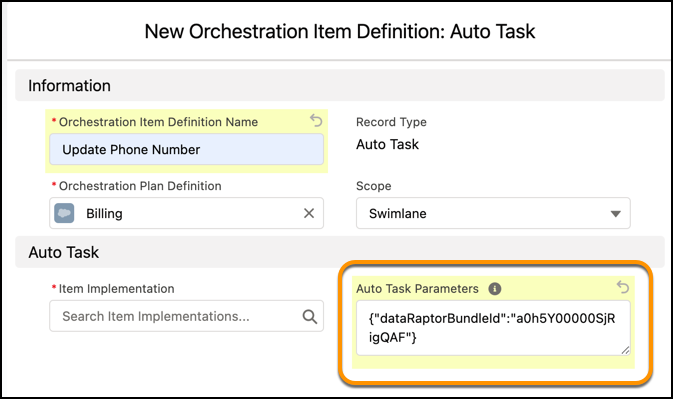
- In the Orchestration Item Definition field, enter a descriptive name for the auto task. For example, Update Phone Number.
- In the Auto Task Parameters field, enter the ID of the DataRaptor that you created earlier, using this format: {"dataRaptorBundleId":"DATARAPTOR ID HERE"}
- Click Save.